2021-03-12
What’s New?
What’s New?
Training & Validation Environments are now generally available!
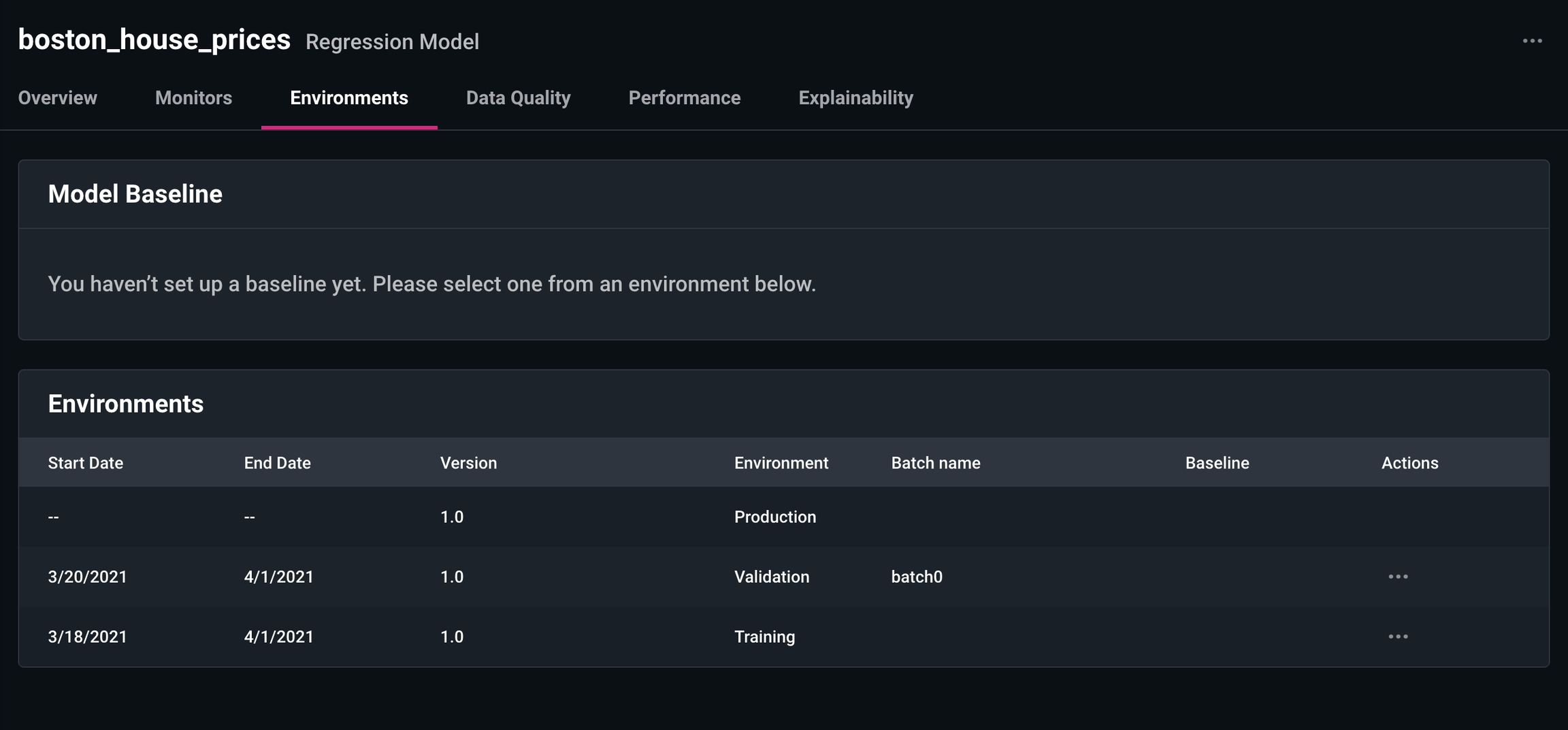
- Easily analyze if there is drift in features/predictions/actuals between production and a pre-production environment such as training validation
- Compare model performance metrics from training/validation to production
- Training/validation windows for a model are more prominently surfaced to help save you time when comparing against production.
- Send in Training and Validation Data for a Model Version.
- All of a model’s environments are surfaced in the Model Page under the Environments tab
- Can be used in dashboards and monitors (coming soon)!
Model Performance Tab
A Performance tab is now available under the Model Page for Score & Regression Model Types. It will come soon for Binary and Multi-Classification Models - stay tuned!This tab surfaces up key performance metrics specific to the model type. For score models, we have dynamic AUC-ROC analysis: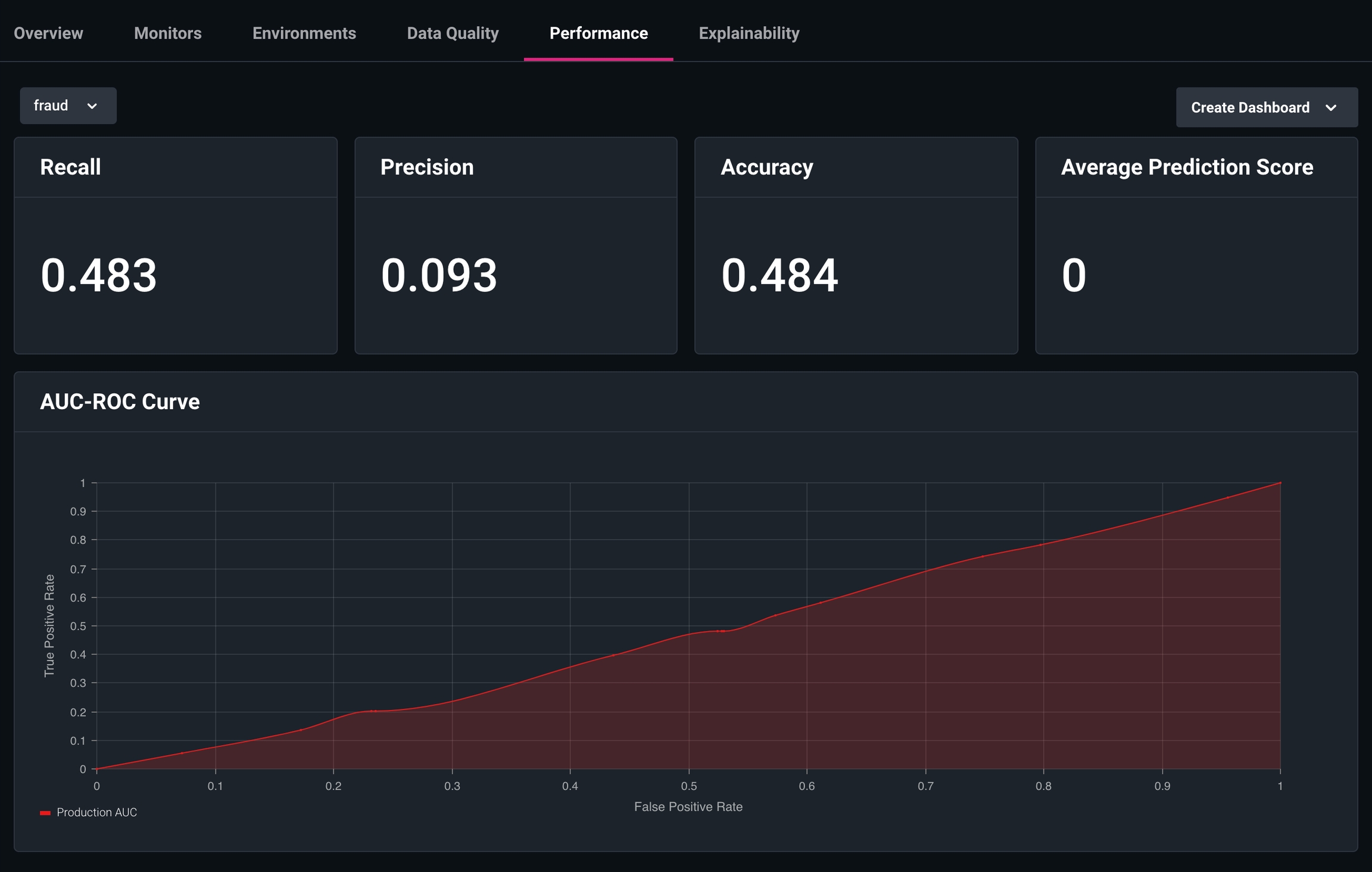
Enhancements
Popover View for to see Monitors from the Model Overview Tab
We added the ability to quickly see which alerts are triggered/healthy without having to directly visit the Monitors Page. You can now see a consolidated view of a model’s health from the Model Page.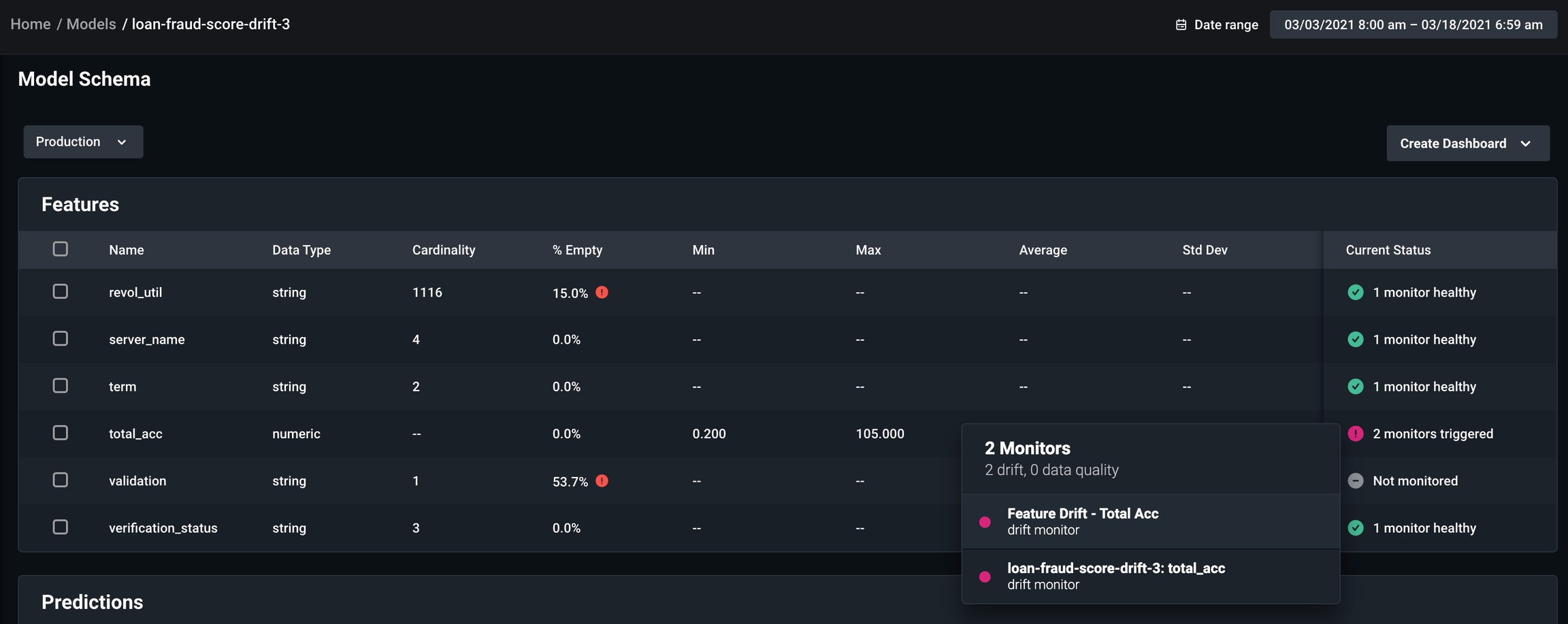
What’s Changed?
New Version of Python SDKWe released a new version of the Python SDK, which requires the Model Version and a Model Type on Score Categorical Models only.Arize News & Events
Arize is a proud partner of the Tecton Apply ( ) Conference! The conference has a great line up of ML practitioners speaking about how they are getting ML into the real world. Register to attend!