

2021-04-30
What’s New
New Datasets Tab for Models
We’ve made it easy to view the data sent in across various datasets. You now have a centralized view of the datasets to help you choose and configure the appropriate baseline for your model.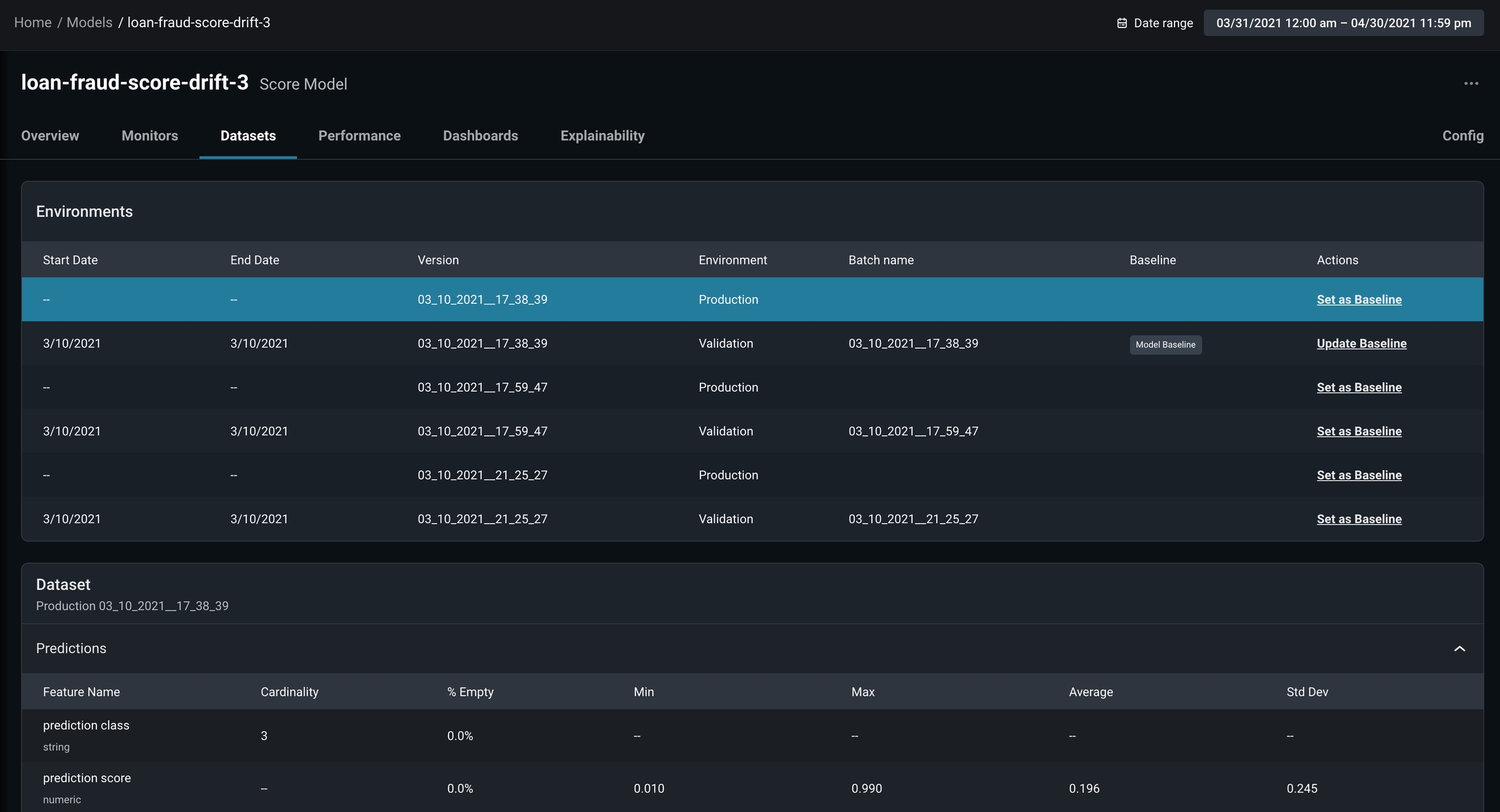
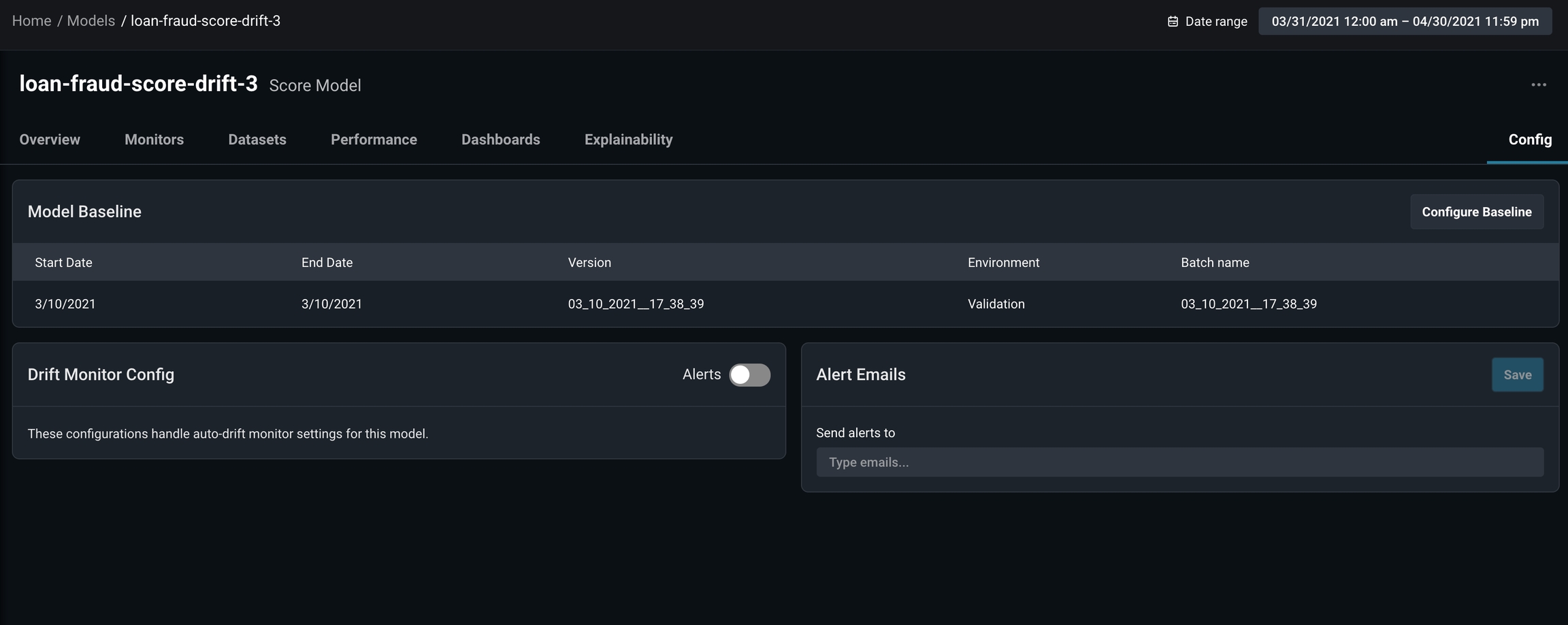
New Config Tab in Models
We’ve streamlined the ability to set model baselines and configure alerts for monitors. From the Model Overview page, click on the Config tab to adjust the settings:- Set or change a model baseline
- Easily toggle on/off alerts for auto-drift monitors
- See and edit alert contacts for auto-drift monitors
Easier Documentation Access
Our product documentation is now accessible directly from the platform navigation, making it faster than ever to find answers to your questions!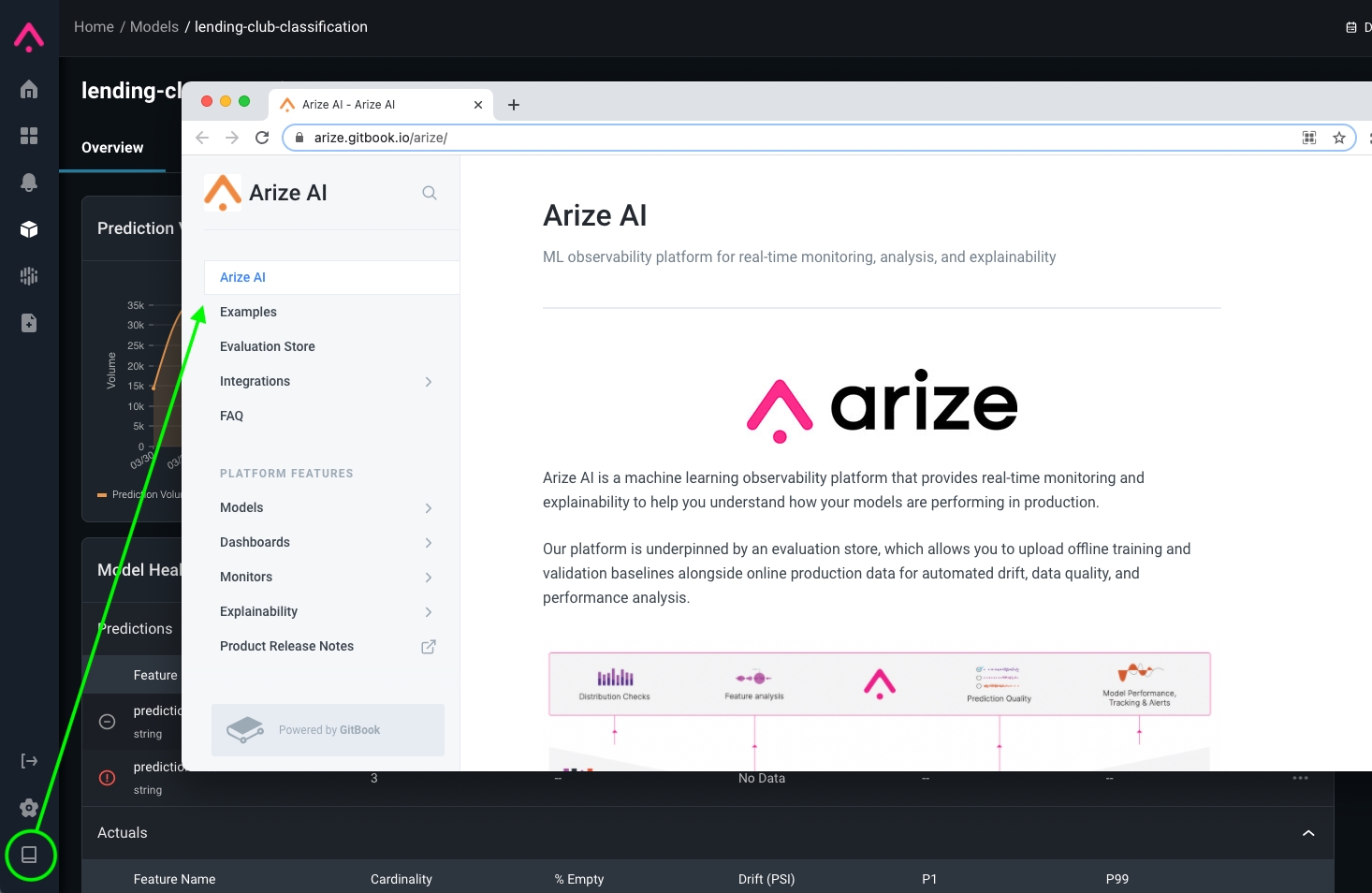
Enhancements
P1 and P99 now available for Model HealthWe added P1 and P99 metrics to the Model Health grid so you can quickly determine if there are any features, predictions, actuals values out of range.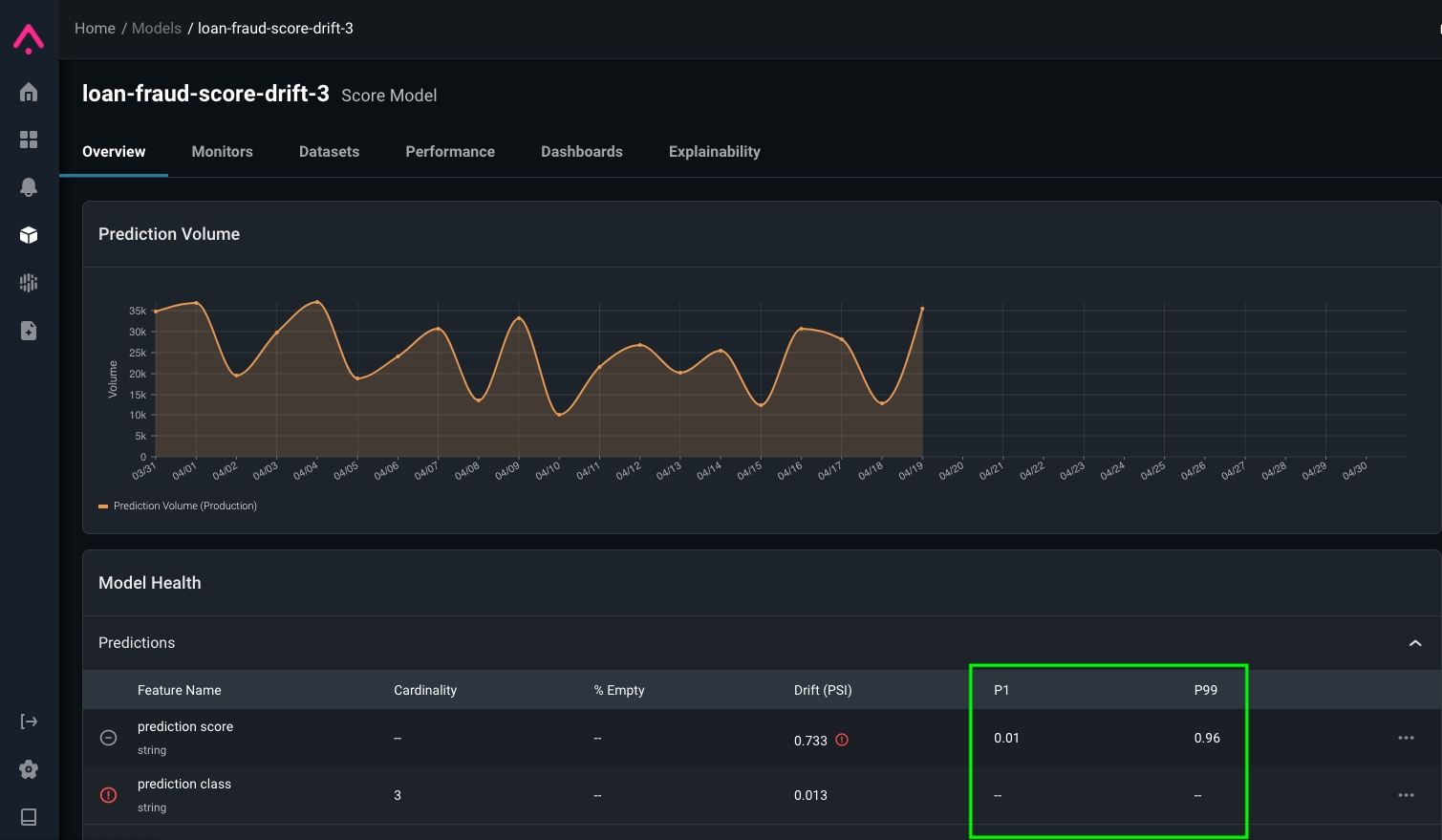
In the News
Arize Earns Spot on Forbes AI 50
Forbes published a list of America’s Most Promising AI Companies, featuring Arize AI among a diverse list of AI-focused businesses. Check out the full list of honorees along with a highlight on what AI Founders think about jobs in and after the pandemic.
Algorithmia and Arize Partner to Enable Better ML Observability for Enterprises
We’re excited to share that Arize AI and Algorithmia are partnered to help organizations deliver better models to production, maximize their performance, and minimize model risk. A technical integration tutorial is available here in our documentation. Read the announcement.