Signal reviews your traces on a schedule and groups recurring failures into ranked issues, each with the pattern, the affected traces, and a proposed fix.
Signal is on every plan, with a monthly issue limit per tier. At the limit it pauses until the next month. See pricing and usage.

Turn on Signal

Enabling Signal on a tracing project from the Signal tab.

In your project, select Signal and click Enable Signal. It reviews new traces every 6 hours by default and files anything recurring as an issue.

Read your first issue

Signal groups recurring failures from your traces into ranked issues, each with an investigation and trace links.
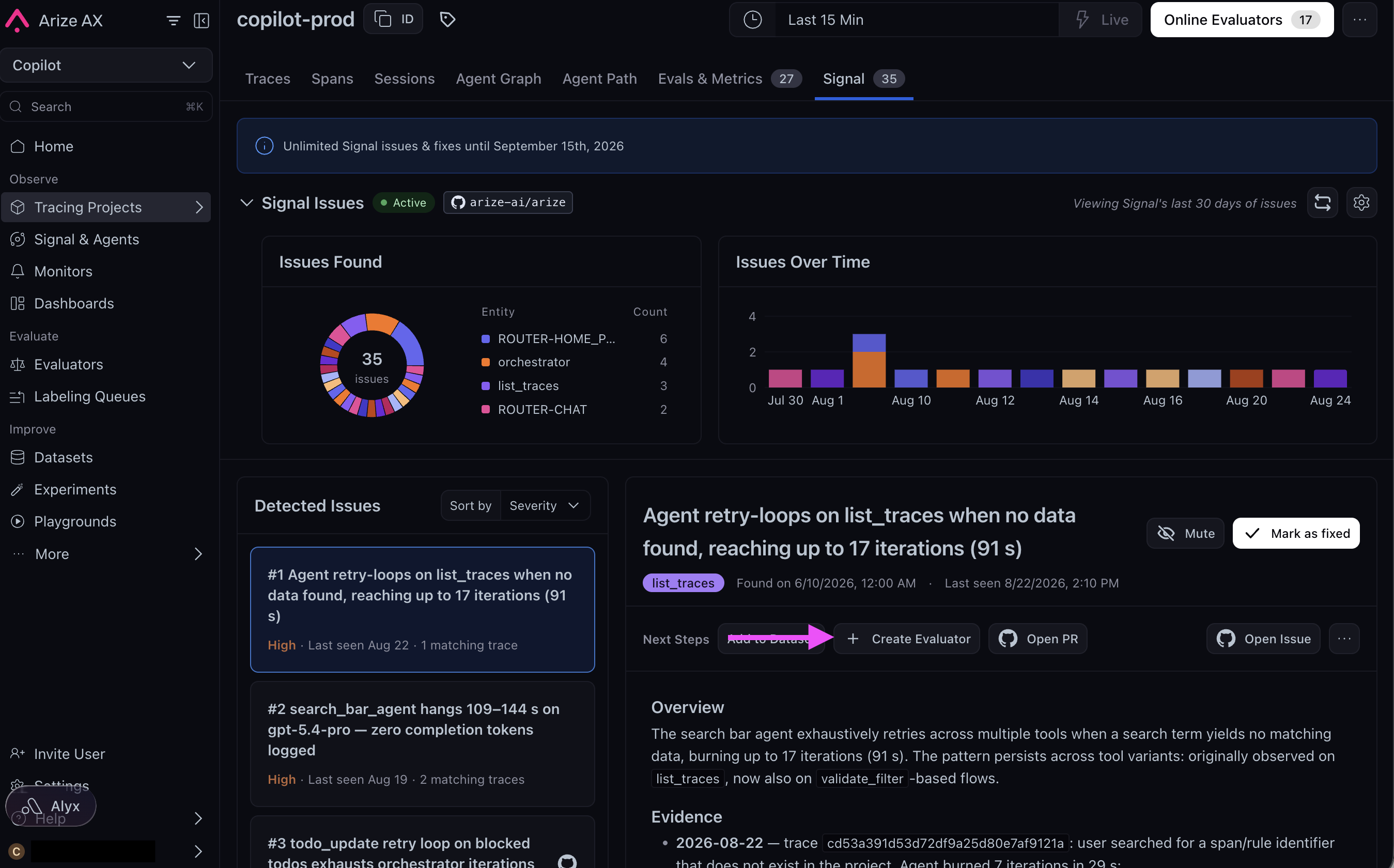
Each issue has an overview of the pattern, the evidence traces (open them in the trace view), and a proposed fix. To act on one, click Create Evaluator in its Next Steps to track the pattern with an online eval, then test the fix in an experiment.
Adding an evaluator from a Signal issue in Arize AX, turning the detected failure into an automated check on new traces

Creating an evaluator directly from a Signal issue.

No issues yet? The first review may not have run, or the project has no traces.

Configure Signal

Open ⋯ → Configure Signal to change the schedule or describe what your agent does and what counts as a failure, then click Save. On Enterprise plans you can also attach a GitHub repo, and Signal opens pull requests for its fixes. It never deploys them. See Signal for setup.

Configuring Signal's schedule and context, including attaching a GitHub repo on Enterprise plans.

Previous: Run evals on experiments

Learn more about Signal

Deepen your tracing