

.instrument() in Python, registerInstrumentations({...}) / package-specific setup in JS/TS, or option.WithMiddleware(...) on the SDK client in Go), and every call is traced — no per-call code changes.
Instrument the AI framework or model client itself — not just the layer around it. Your LLM, agent, and tool spans come from the OpenInference instrumentor for the library that makes the model calls and drives the tools.Instrumenting only the surrounding layer — a web server (FastAPI, Flask, Express), a CLI or job runner, or an HTTP client — records transport and plumbing activity, not the agent’s reasoning, and is not a substitute for it. Pick the integration that matches the framework or provider doing the LLM work and attach its instrumentor.If your app wraps that framework in a web server you can instrument both, but the framework (or model-client) instrumentor is the one that produces LLM observability.
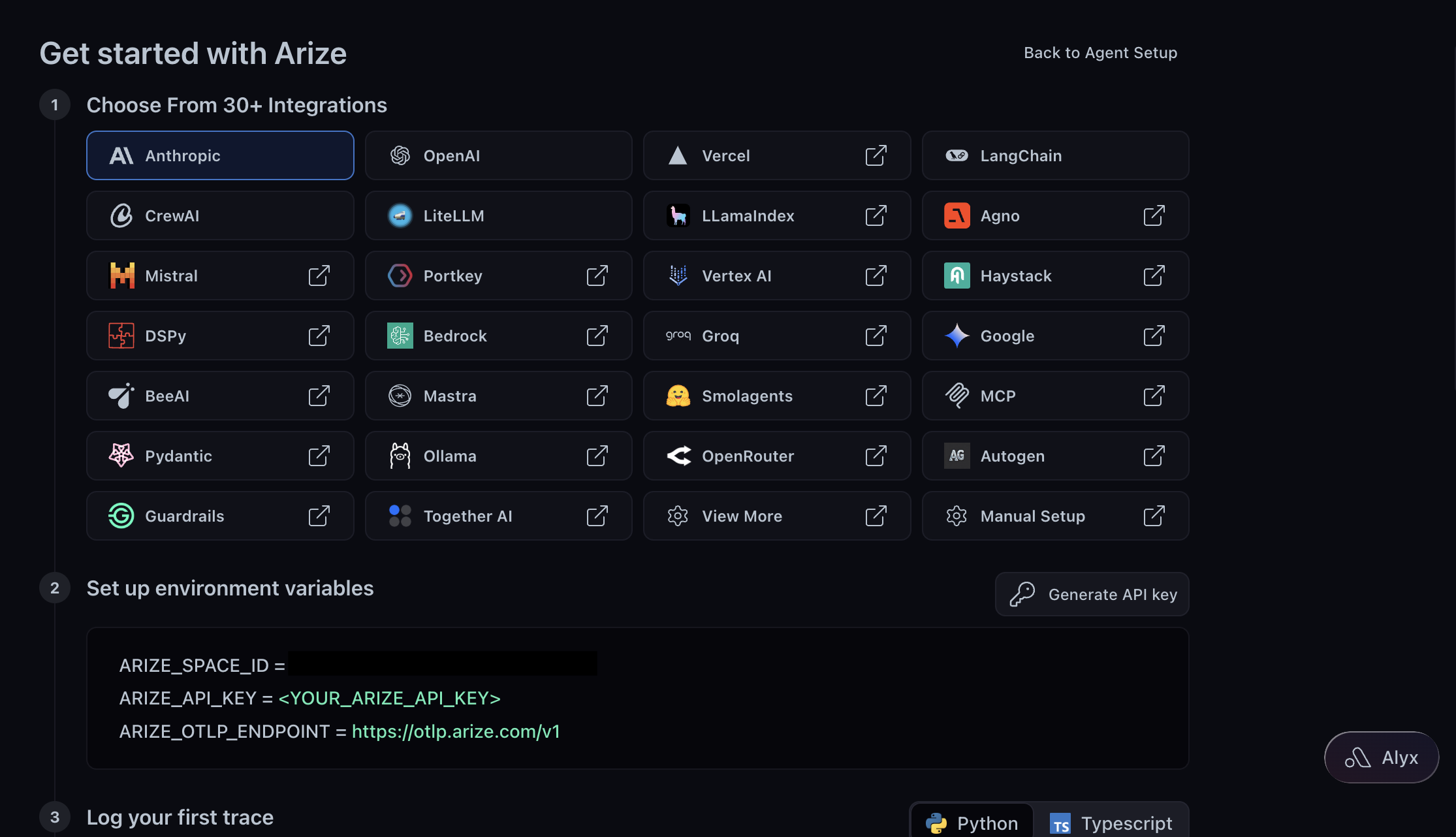
Set Up with One Command, Skills, or Code
Pick a path: one command (npx evals or ax instrument) to have your coding agent do all of it (recommended), Arize Skills to drive each step yourself, or Code to set up the SDK directly.
- By one command (Recommended)
- By Arize Skills
- By Code
One command does the whole setup: it installs the tooling, connects your account, picks the right OpenInference integration for your stack, wires it in, and confirms your first traces arrive. Run it from your project’s root directory so your agent can read and edit the right code.Pick your coding agent from the list: Claude Code, Codex, Cursor, GitHub Copilot, or Antigravity CLI. It launches in your current directory with a guided onboarding prompt and walks you through four things:
- Install the tooling. The AX CLI and the Arize Skills.
- Connect your account. It creates a free Arize AX account or signs you in, then picks your space — no copying a Space ID or API key by hand.
- Instrument your app. It detects your framework and provider, installs the matching instrumentors, and attaches them. Where a framework wraps a provider, it instruments both.
- Verify your traces. It runs your app and confirms spans reached your project.

Supported Integrations
Arize has 30+ native integrations across LLM providers, Python and TypeScript agent frameworks, and Java. The most common ones:
OpenAI

Anthropic
LangChain
LangGraph

LlamaIndex

CrewAI

Mastra

Vercel AI SDK
See all 30+ integrations (LLM providers, agent frameworks, Python, TypeScript, Java)
Learn More
- What auto captures — auto-instrumentors set OpenInference semantic conventions automatically: model name, messages, token counts, inputs, outputs.
- Group traces into conversations — add
session.idanduser.idto follow multi-turn interactions. See Set up sessions. - Enrich traces with custom data — attach metadata, tags, and custom attributes to auto-instrumented spans. See Customize your traces.
- Control what’s captured — hide sensitive inputs, suppress tracing for specific calls, or truncate images with
TraceConfig. See Mask and redact data. - Augment what auto didn’t capture — add manual spans for anything auto-instrumentation missed. See Manual instrumentation or Combine auto + manual.
- Already tracing to Phoenix — begin sending traces from your existing OpenInference setup to Arize AX, with a dual-write step to verify parity before you cut over. See Graduate from Phoenix.