Where to find Alyx
Open the Alyx chat from the Traces page (the main traces table view). Alyx has context of your current time range and can analyze all traces in that window.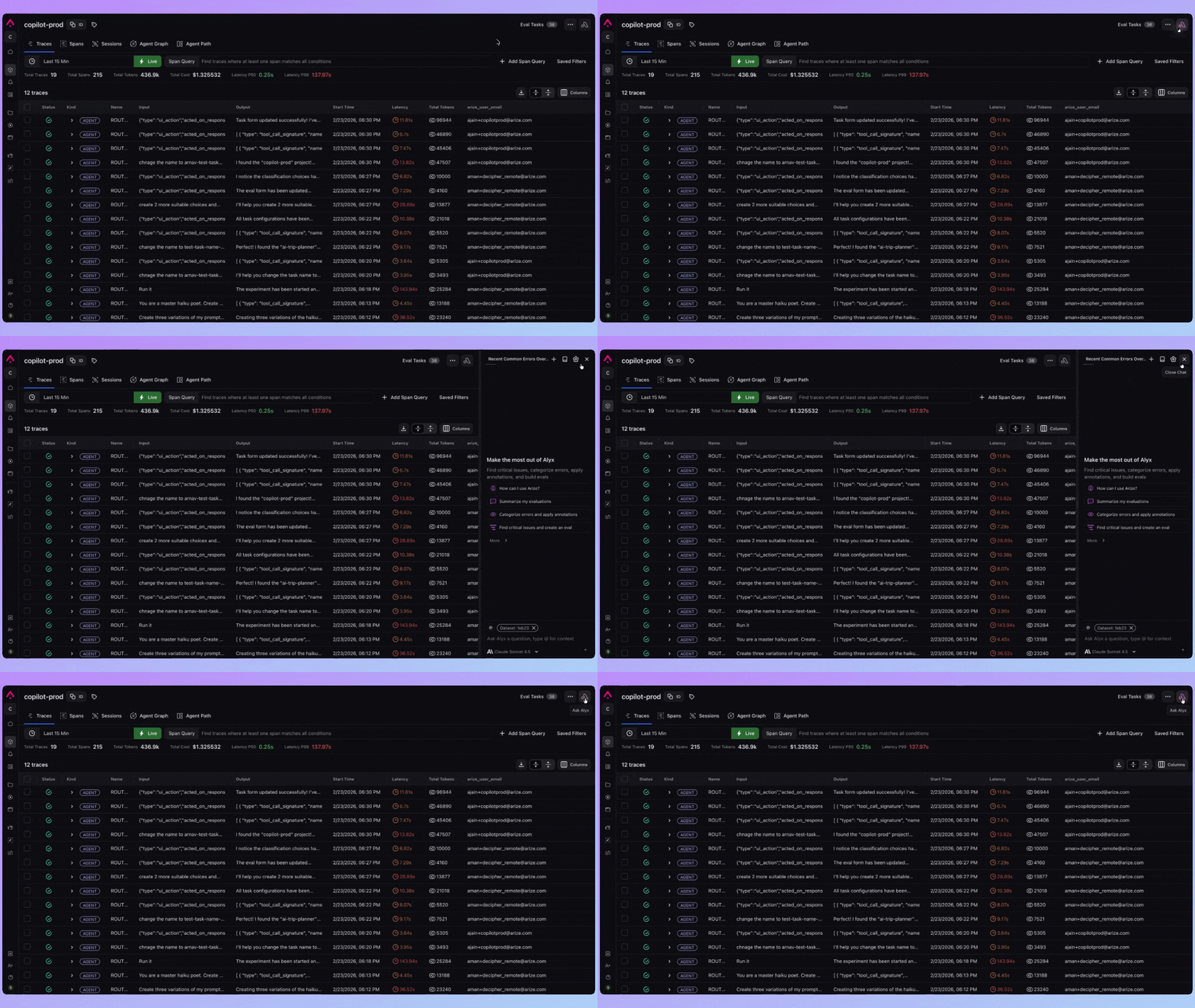
Key skills
| Skill | Description |
|---|---|
| Traces table preview | Preview trace data for the selected time range and filter |
| Aggregate / group by | Compute count, sum, avg; group by dimension and summarize |
| Extract categories | Identify recurring categories in trace data |
| Assign categories | Apply category labels to traces |
| Search | Build filters or find spans via natural language |
| Build eval | Write a custom eval; optimize or align evals |
| Annotations | Create configs and annotate multiple spans |
| Create dataset from spans | Build a dataset from filtered trace spans; append spans or synthetic data |
Example prompts
- “What are the most common error types in the last 24 hours?”
- “Group traces by model and show average latency”
- “Extract categories from traces with errors”
- “Create a dataset from traces with hallucinations”
- “Summarize the top issues in my traces”
- “From my annotations, find the critical issue and build an eval for it”