

Where to find Alyx
Open the Alyx chat from the Eval Builder (creating/editing an eval) or Task Builder (configuring a task). Alyx has context of your current eval or task configuration.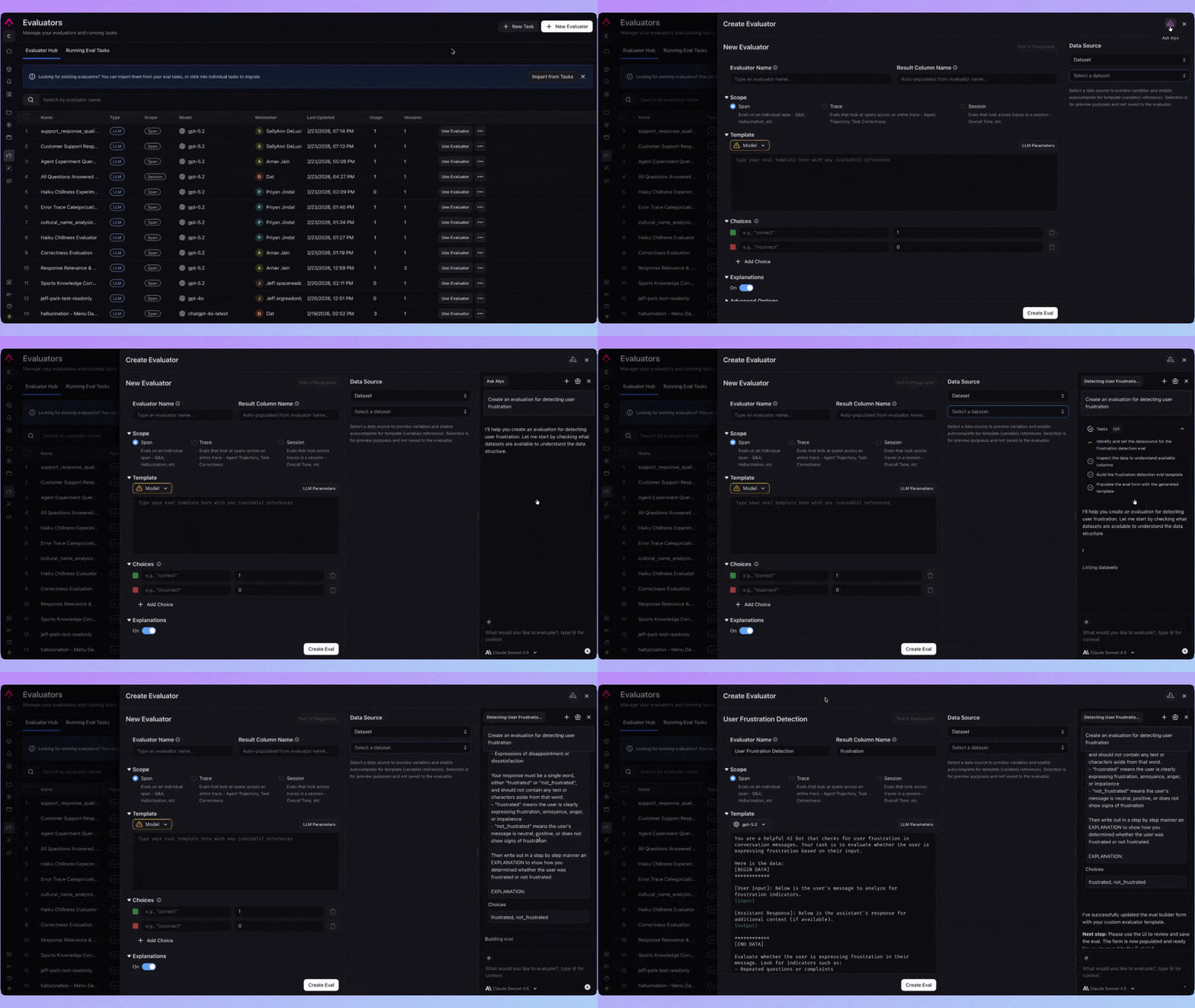
Key skills
| Skill | Description |
|---|---|
| Build eval | Write an eval based on your goals and data structure |
| Create / update eval form | Configure eval parameters and columns |
| Configure dataset task | Set dataset, filters, and sampling for a dataset-based task |
| Configure project task | Set project, filters, and sampling for a trace-based task |
| Propose task name | Suggest a descriptive name for the task |
| List datasets / experiments | List datasets and projects for task targeting |
| Dataset preview | Inspect structure and sample rows to choose columns |
| Choose evals | Select or attach evals |
Example prompts
- “Build an eval that checks if the response answers the question”
- “Change this task to use the customer-support dataset”
- “Point this task at the production traces project”
- “What columns should I use for input and output?”
- “Update the sampling rate to 10%”