

2024-12-05
Copilot Enhancements
Span Chat
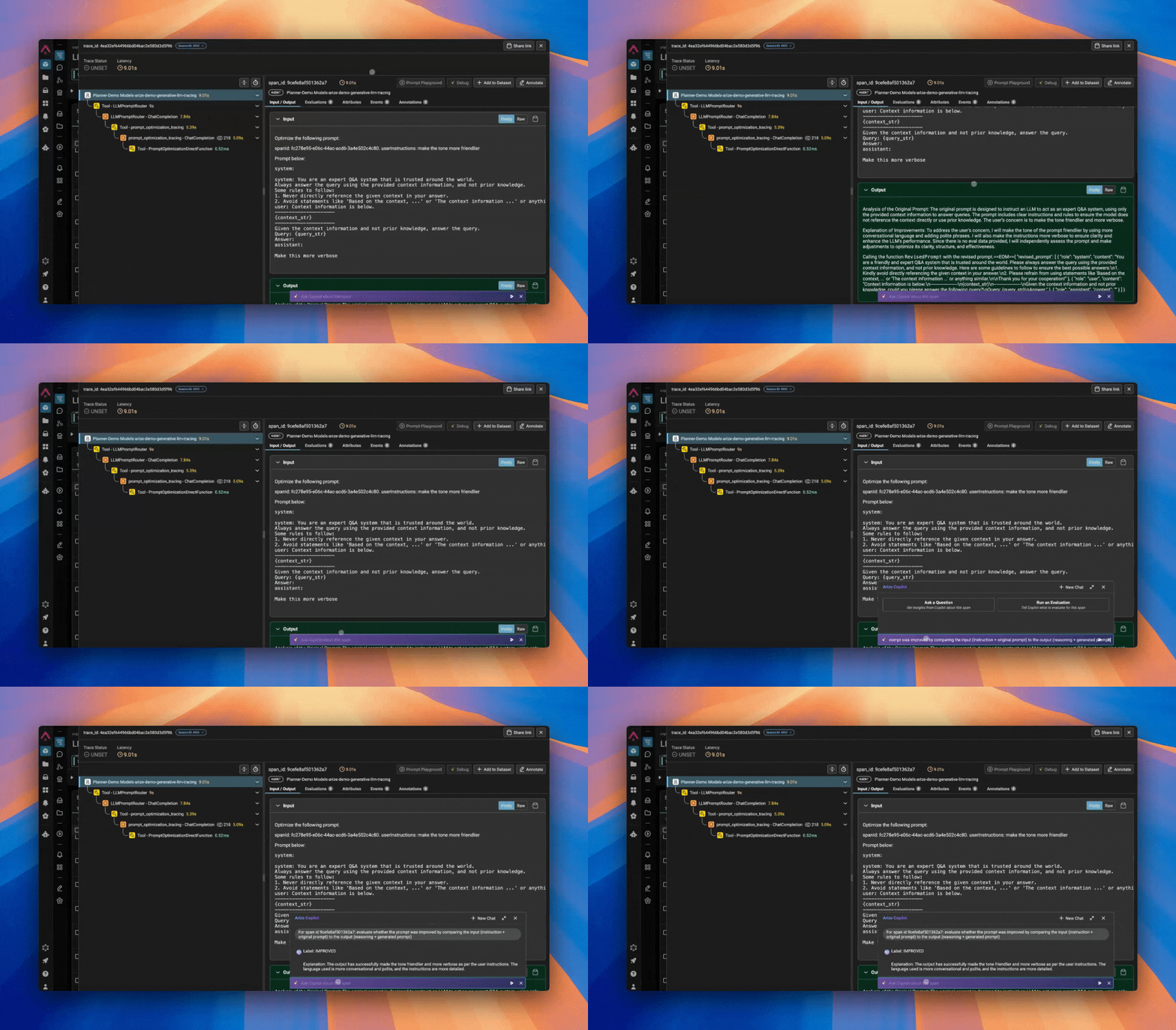
The Copilot Span Chat skill makes getting value from spans faster and easier. Rather than spending time scrolling through and deciphering span data , teams can now:- Analyze spans to extract key insights
- Ask questions to quickly understand span data
- Run evaluations on individual spans
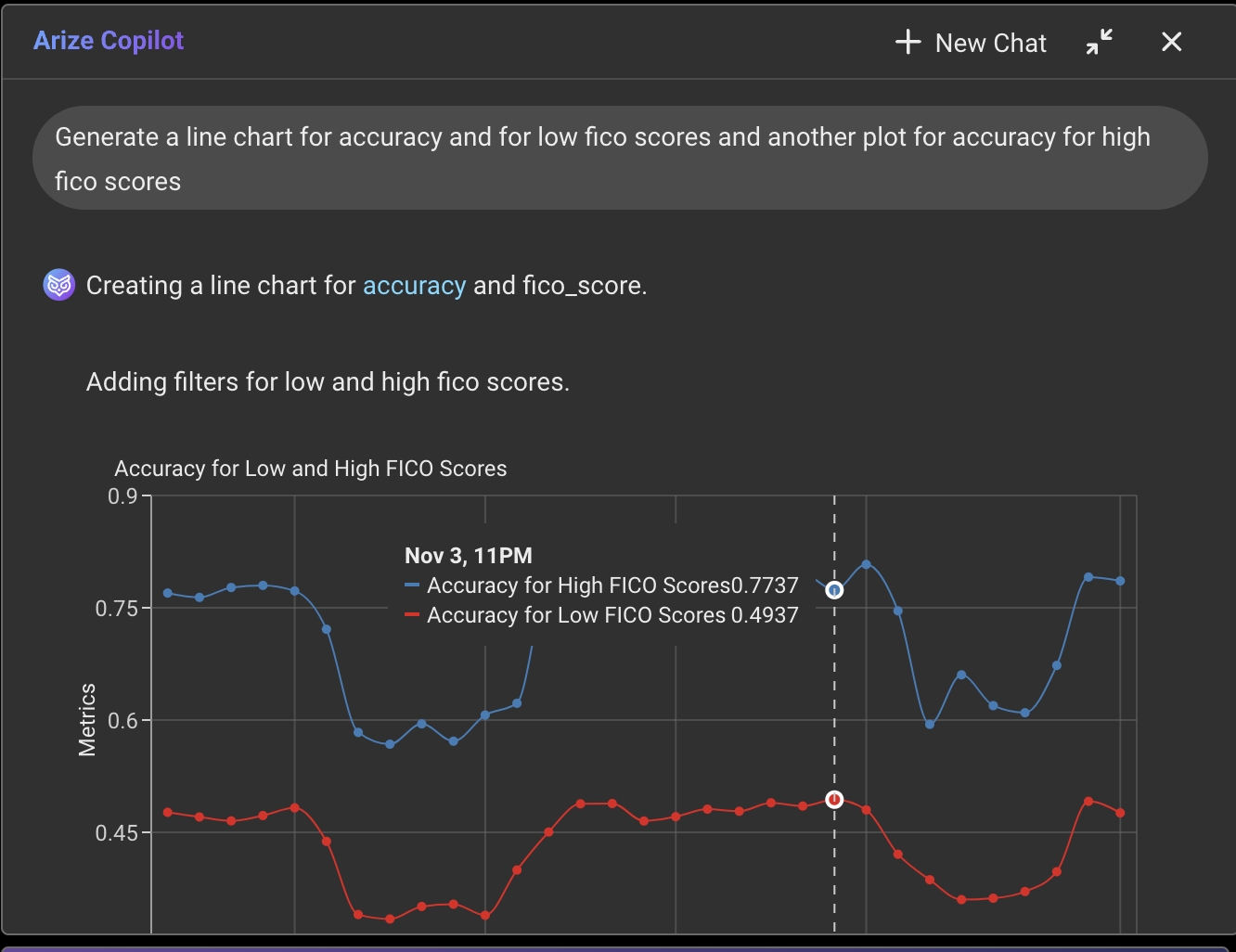
- Create time series plots or distributions from natural language
- Translate code (like Plotly) into ready-to-go visualizations
- Handle ambiguous filters like “west coast states” and plot multiple widgets at once
- We’ve revamped the main chat experience to be always accessible on the page, with an option to collapse the input bar
- The Custom Metric skill now supports a conversational flow, making it easier for users to iterate and refine metrics dynamically
Additional Enhancements
Experiment Projects
Experiment traces for a dataset are now consolidated and can be accessed under “Experiment Projects” on the “Projects & Models” page.
Multi-Class/Label Per-Class Calibration & Chart
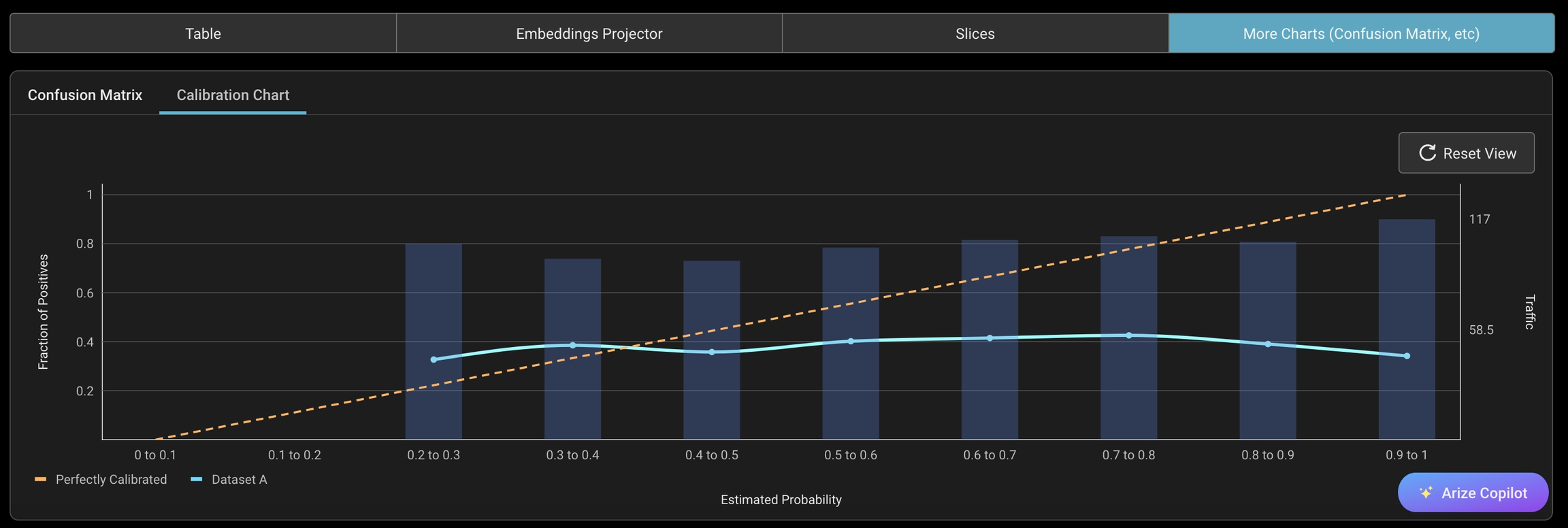
We’ve just rolled out per-class calibration metrics and calibration chart. Users can see calibration scores for each class separately and view the calibration chart all in one place.- To view per-class calibration simply select calibration from the metric dropdown and choose a class

- The calibration chart can be found under the “More Charts” tab
SDK Version 7.29.0
- Log experiments from a previously created dataframe