2024-10-03
What’s New
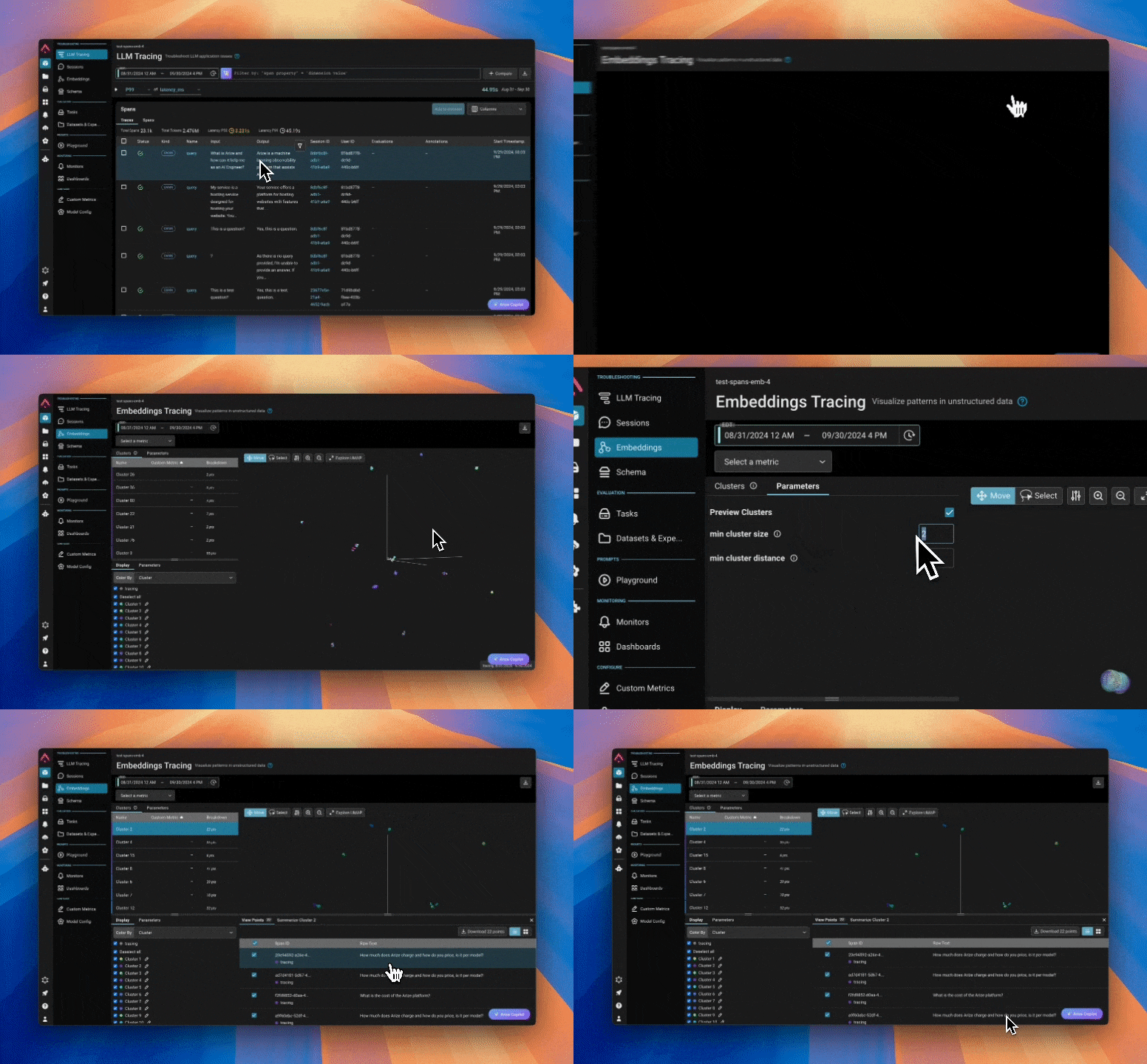
Embedding TracesWith Embeddings Tracing, you can effortlessly select embedding spans and dive straight into the UMAP visualizer, simplifying troubleshooting for your genAI applications. How this works:- Users can now select embedding spans and go to the embedding visualizer (also available on project level nav for all generative models)
- All embedding spans get pulled over for UMAP + clustering
- Users can select an individual point/cluster and the embedding span attributes get pulled over
- “Color by” span attributes is also available, and whichever attribute users “color by” can also be viewed as a column in the table
Experiments Details Visualization
Users can now view a detailed breakdown of labels for their experiments on the Experiments Details page.Note: this feature is currently only available for label-based evaluations. Support for score-exclusive evaluations will be coming in a future update.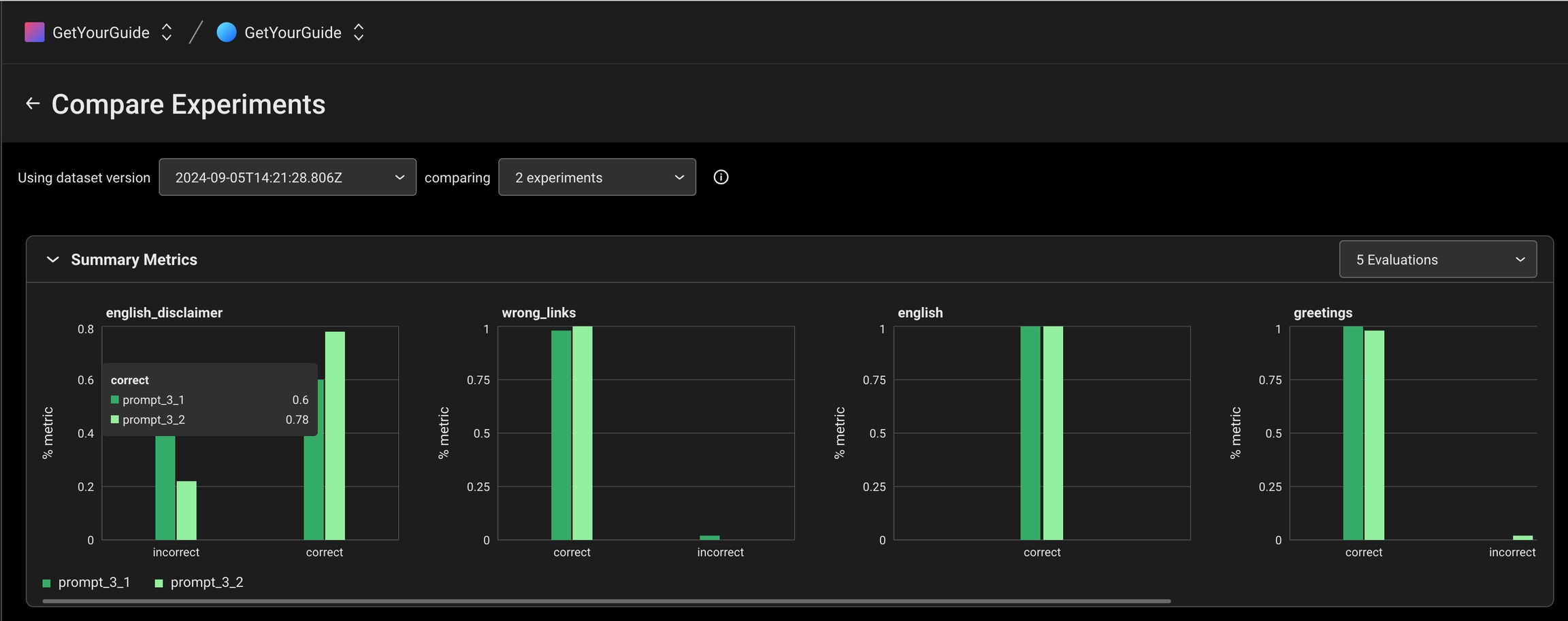
Enhancements
Prompt Playground Improvements
-
**Full OpenAI Models Support: **We’ve added full support for all available OpenAI models in the playground including the
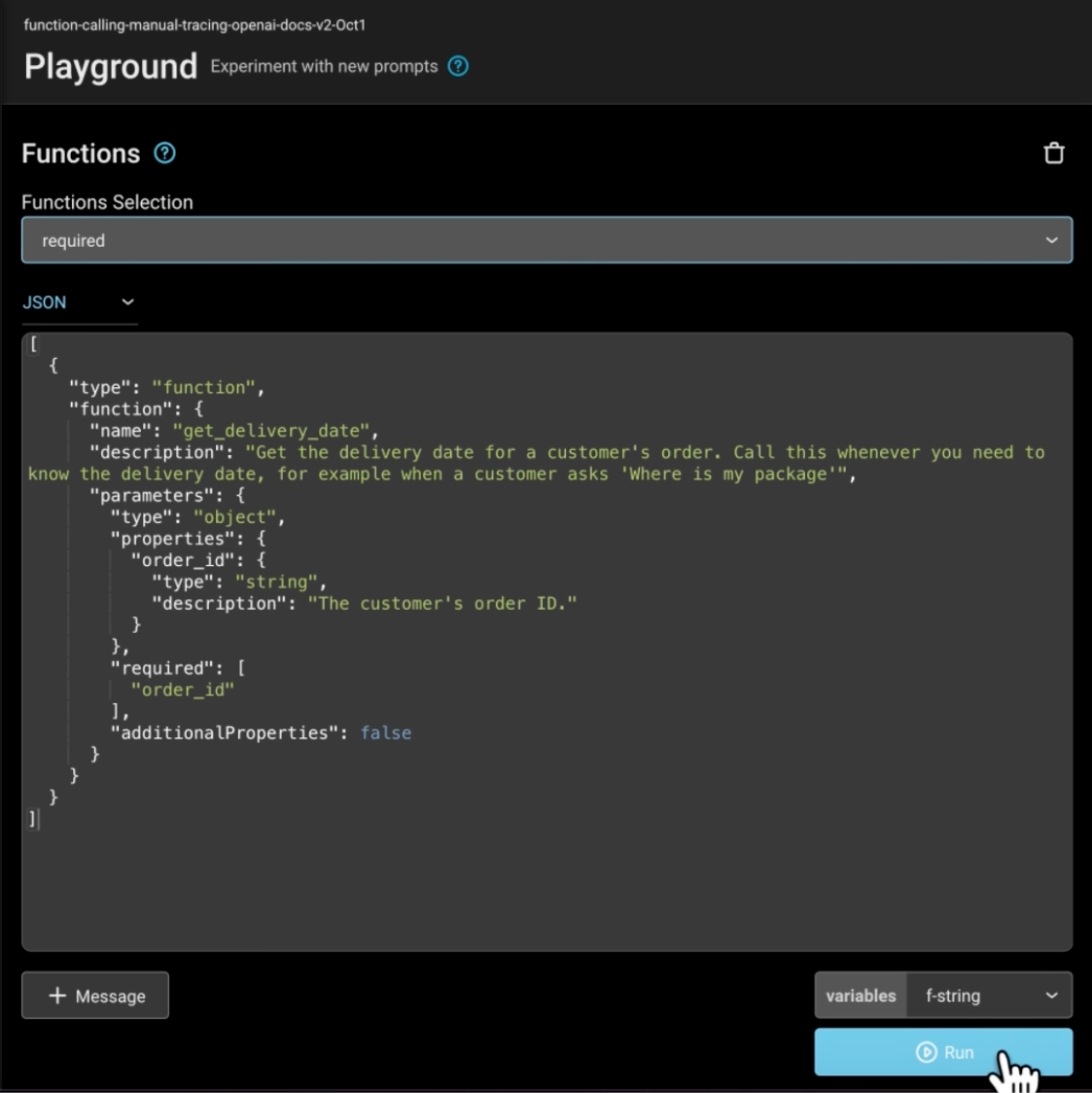
o1-miniando1-preview. - OpenAI Function/Tool Calls: With OpenAI’s addition of function calling in their models, we have added support in Arize starting from the trace all the way to the playground. View function/tool calls in your traces, and open the playground to further experiment and test.
- Full-screen Data Mode: Enter full screen mode to view your data more easily.
-
Features For Datasets:
- Prompt Overriding: When using a dataset to test out different prompts, users can now replace the prompt template with the dataset.
- Pop Up Windows for Long Outputs & Variables: Viewing longer outputs is now easier with pop up windows.
Filters Updates
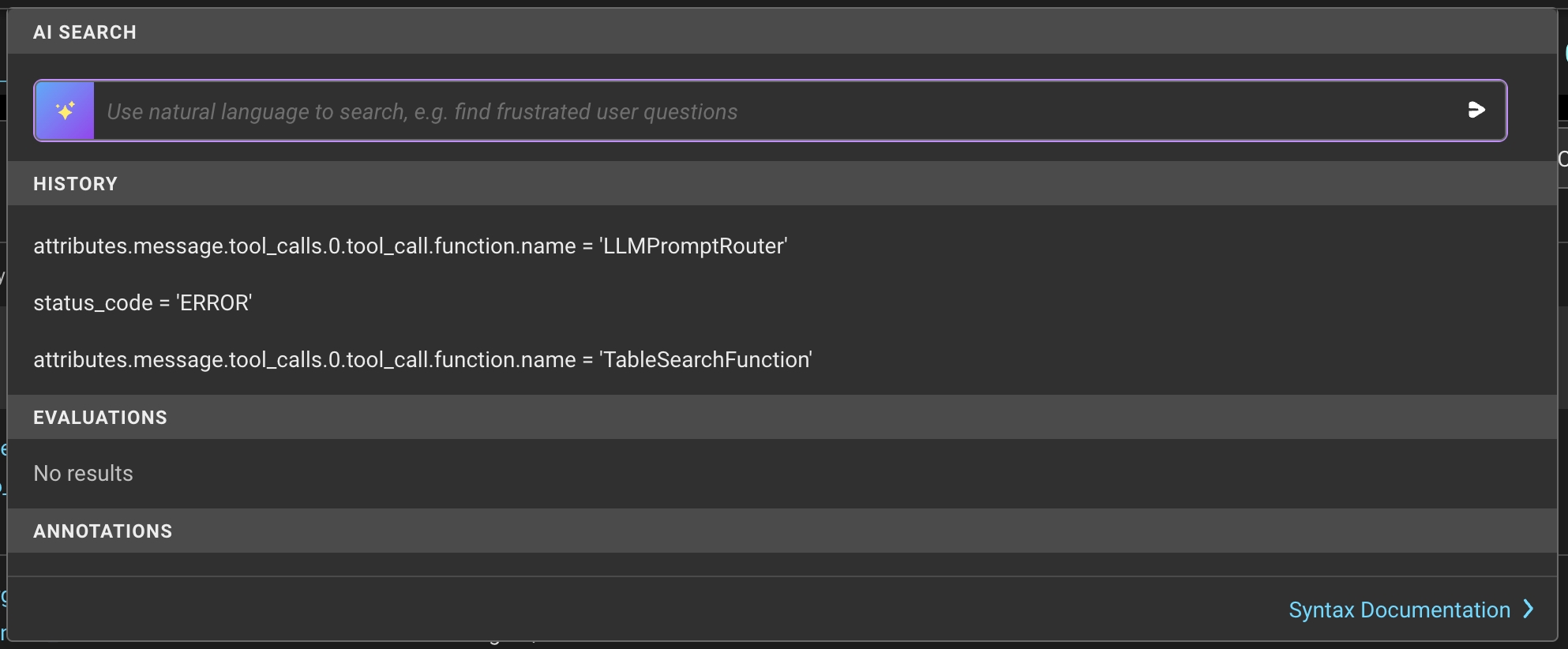
- **Filter History: **We now store the last three filters used by a user! Users can easily access their filter history in the query filters dropdown, making it simpler to reuse filters for future queries.
Traces Page Updates
- **Parent Spans: **We’ve enhanced the Traces page to give users a better experience when filtering spans. Now, even if the filter doesn’t match the parent span, users will still see the the parent span with the relevant spans nested under it.
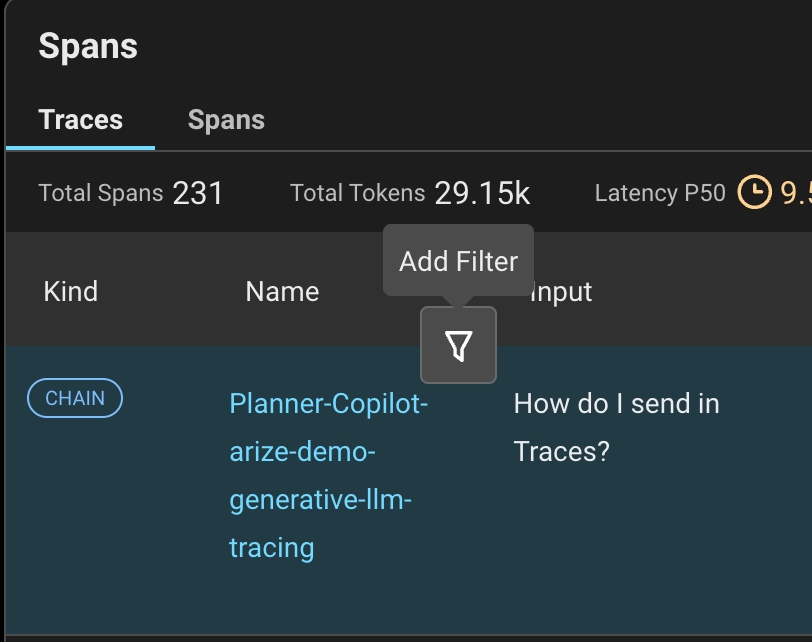
- Quick Filters: We’ve introduced quick filters, allowing users to apply filters directly from the table by hovering over the text to reveal the filter icon.
New Arize-Otel Package for LLM App Tracing
We heard you, and we made it much simpler to add automatic tracing to your applications! It’s now just a few lines of code to use OpenTelemetry to trace your LLM application. Check out our new quickstart guide which uses our arize-otel package.Workflow Improvements
- Support for new line creation while reviewing prompts.
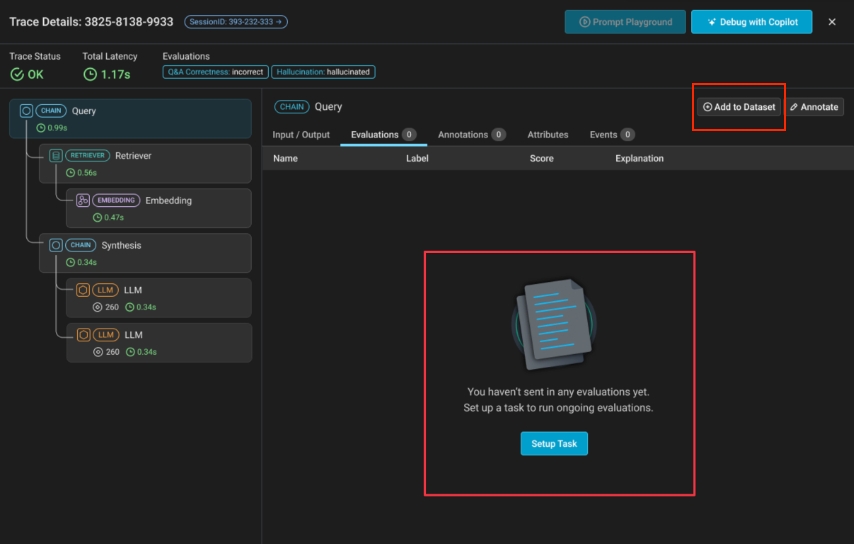
- Easily add spans to a dataset from the Traces page using the “Add to Dataset” button.
- Quickly create an evaluation task within a trace if no evaluations currently exist using the “Setup Task” button.