

Supported File Types
Arize supports CSV, Parquet, and Avro. The required model schema parameters vary based on the specific model type selected. Learn more about model types here.embeddings_features and list_of_strings are available for Parquet and Avro files.How To Upload A Local File
Uploading a local file is as simple as dropping a file into the upload container and can be broken down into a few easy steps.- Go to the ‘Upload Data’ page from the left-side navigation and click on Local Files
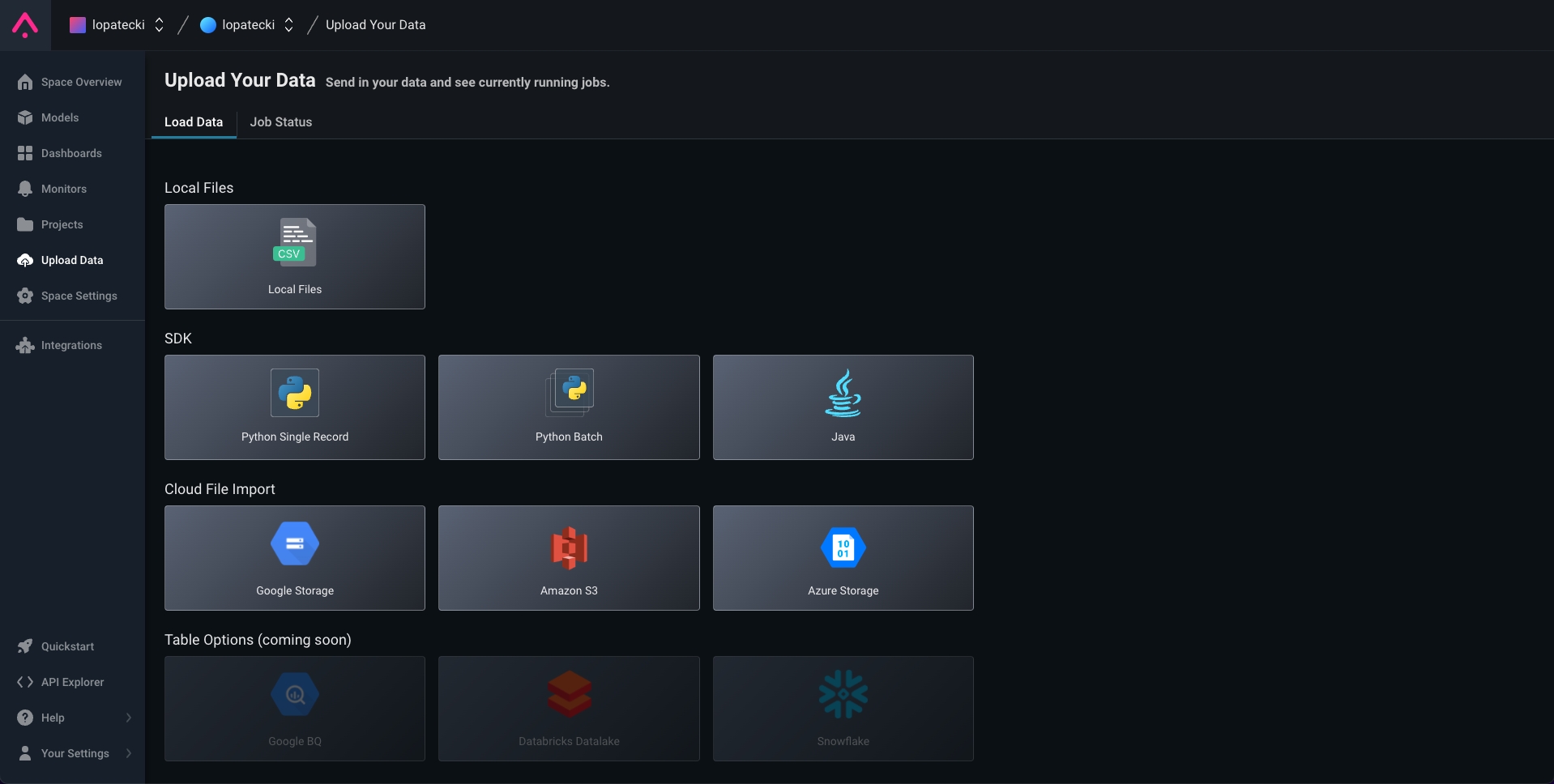
Select 'Local Files' from Upload Data Page
- You can get started by choosing the model type and downloading a sample file.
-
Upload a file from your desktop by either:
- Dragging the file into the upload container
- Clicking ‘Select File’

Drag file or click 'Select File'
- Fill out model schema fields using this schema reference
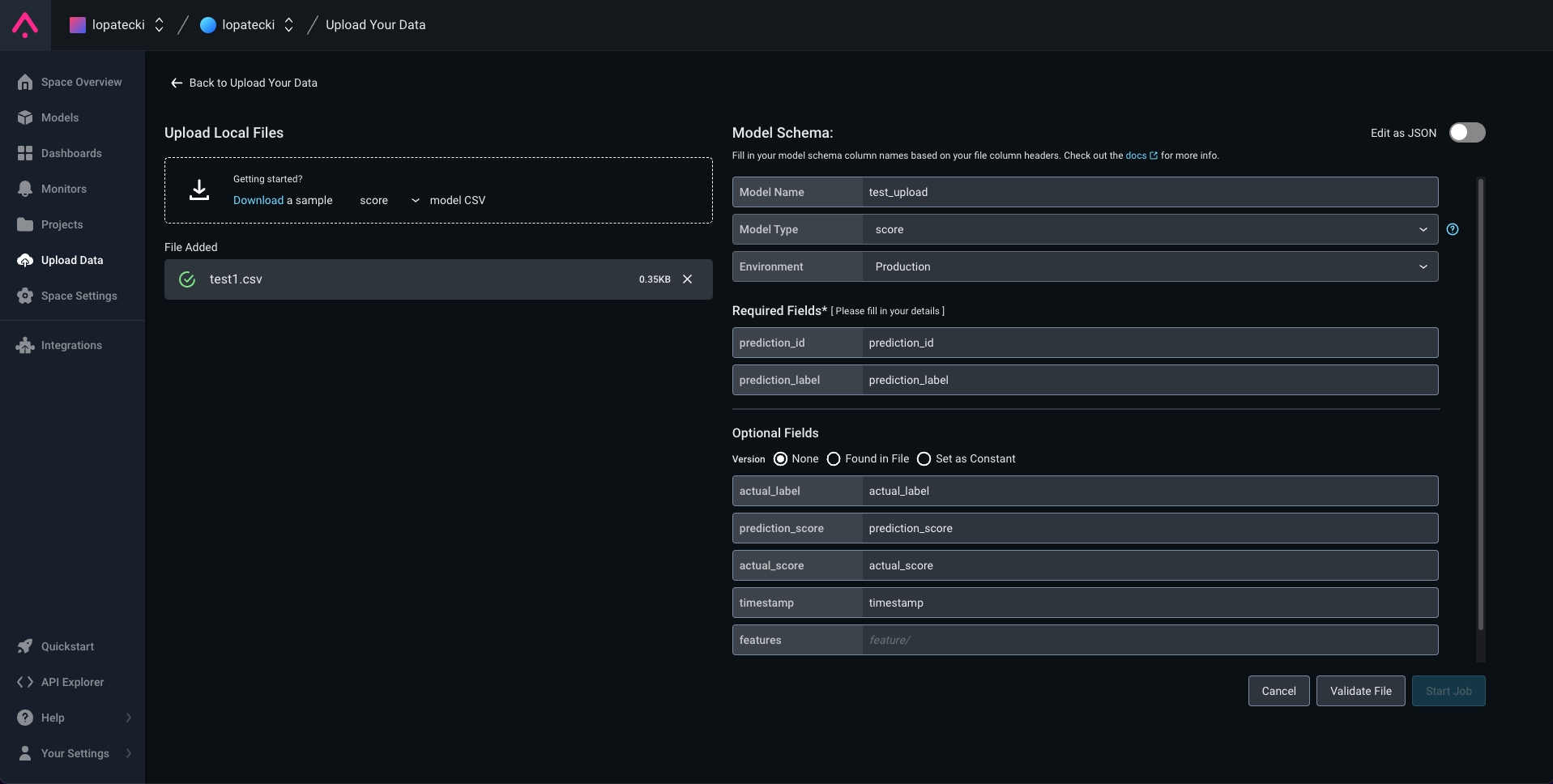
Fill out model schema
- Validate your file; errors will be displayed on this page
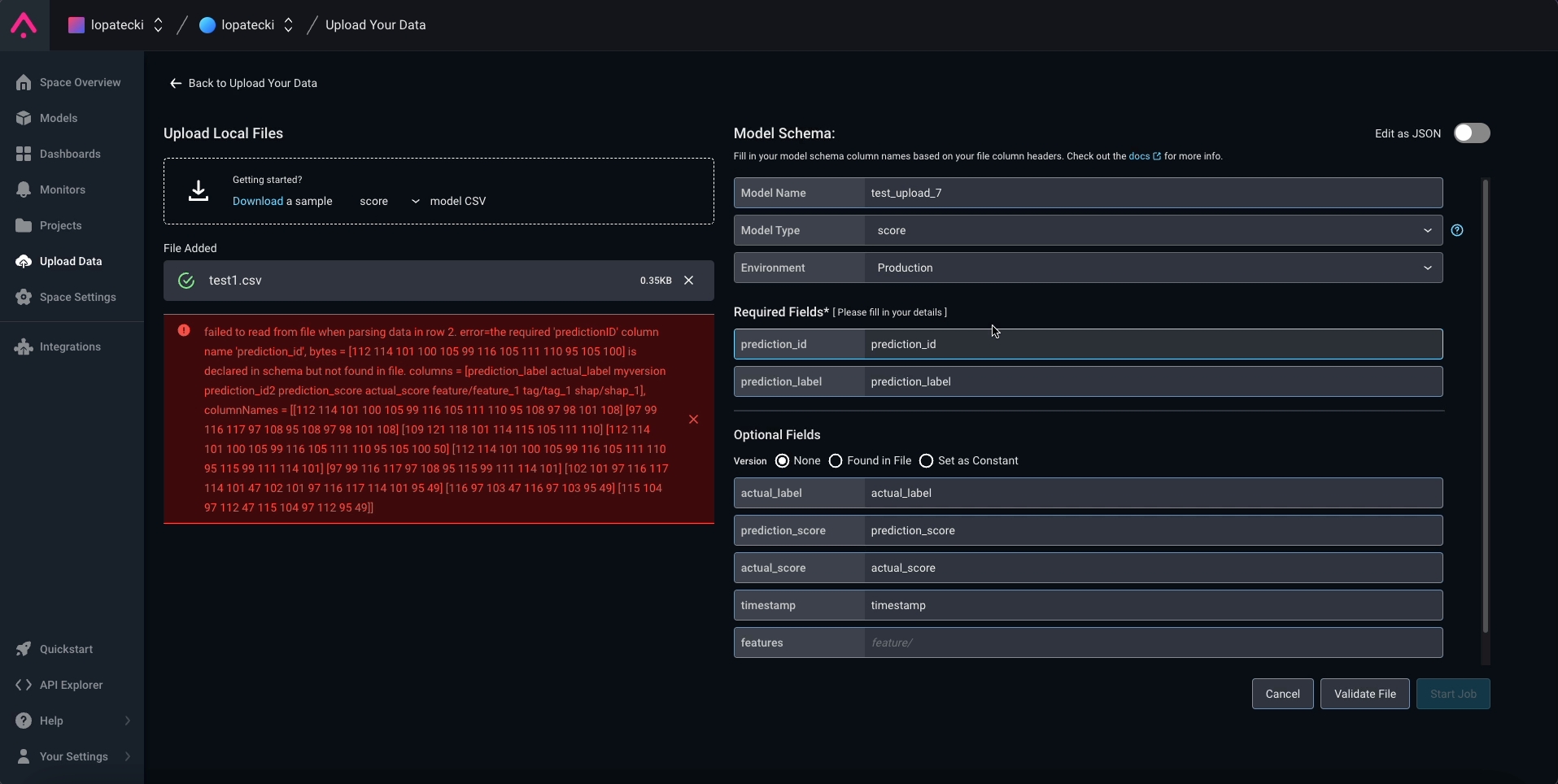
Validate file
-
‘Start Job’ to create a file import job for your local file
- You’ll be taken to the Job Status tab to see your local file uploads
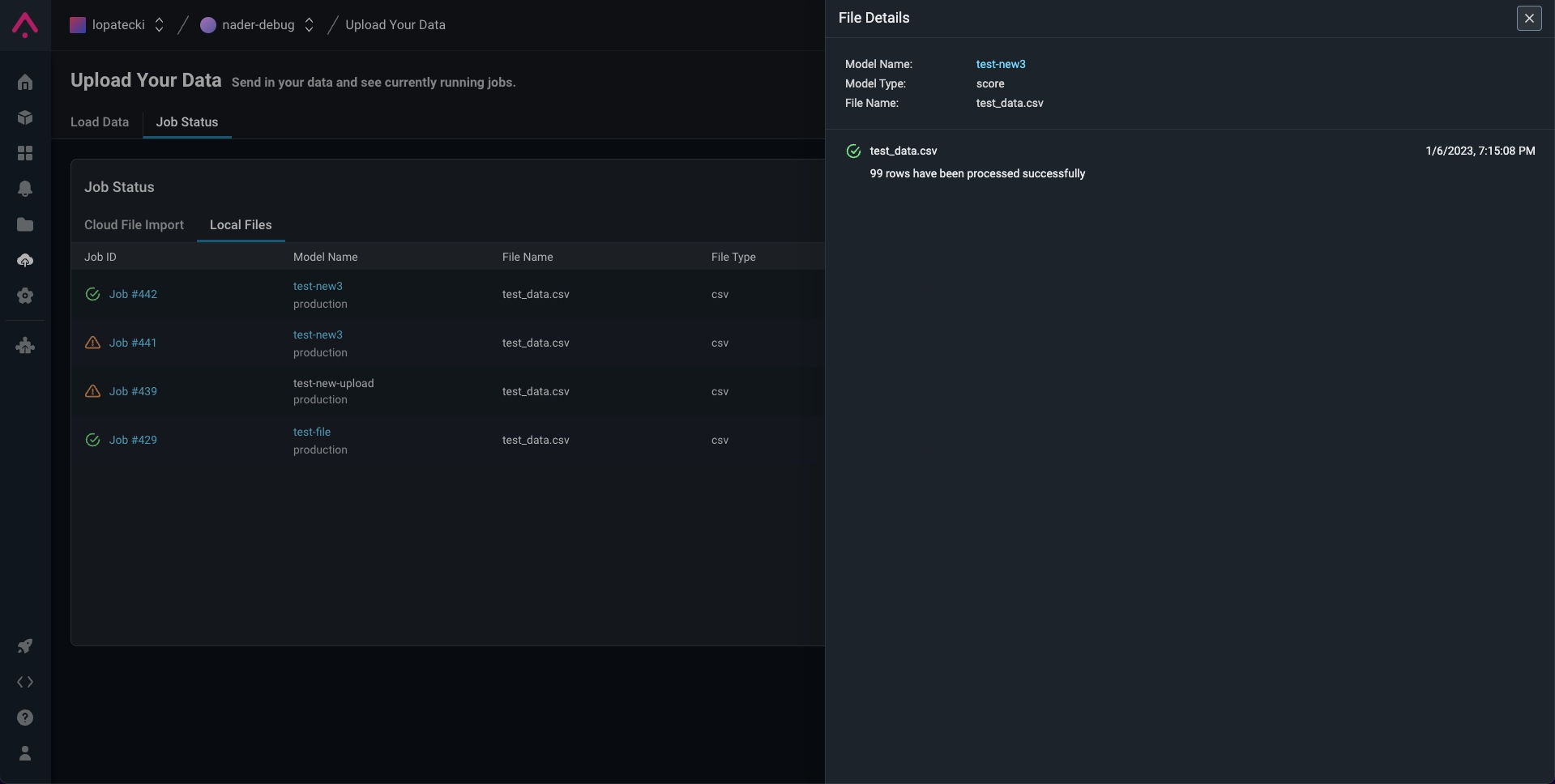
Successful local file import
- Go to Job Status Tab to see your local file uploads

Job Status of All Local File imports
Local File Upload Model Schema
Model schema parameters are a way of organizing model inference data to ingest to Arize. When configuring your schema, be sure to match your file column headers with the model schema. Use a form or a simple JSON-based schema to specify the column mapping.Example Row
Example Schema
Schema Parameters
Learn more about Schema fields here. Refer here for a list of the expected data types for Schema fields by file type.We currently support uploading one file at a time, and a maximum file size of 300 mb.To upload multiple files or larger files, use one of our data connectors.