

Run the experiment from the platform
1. Define the task in Prompt Playground
Load your prompt and dataset into the Prompt Playground, run it over every row, and save the outputs as an experiment.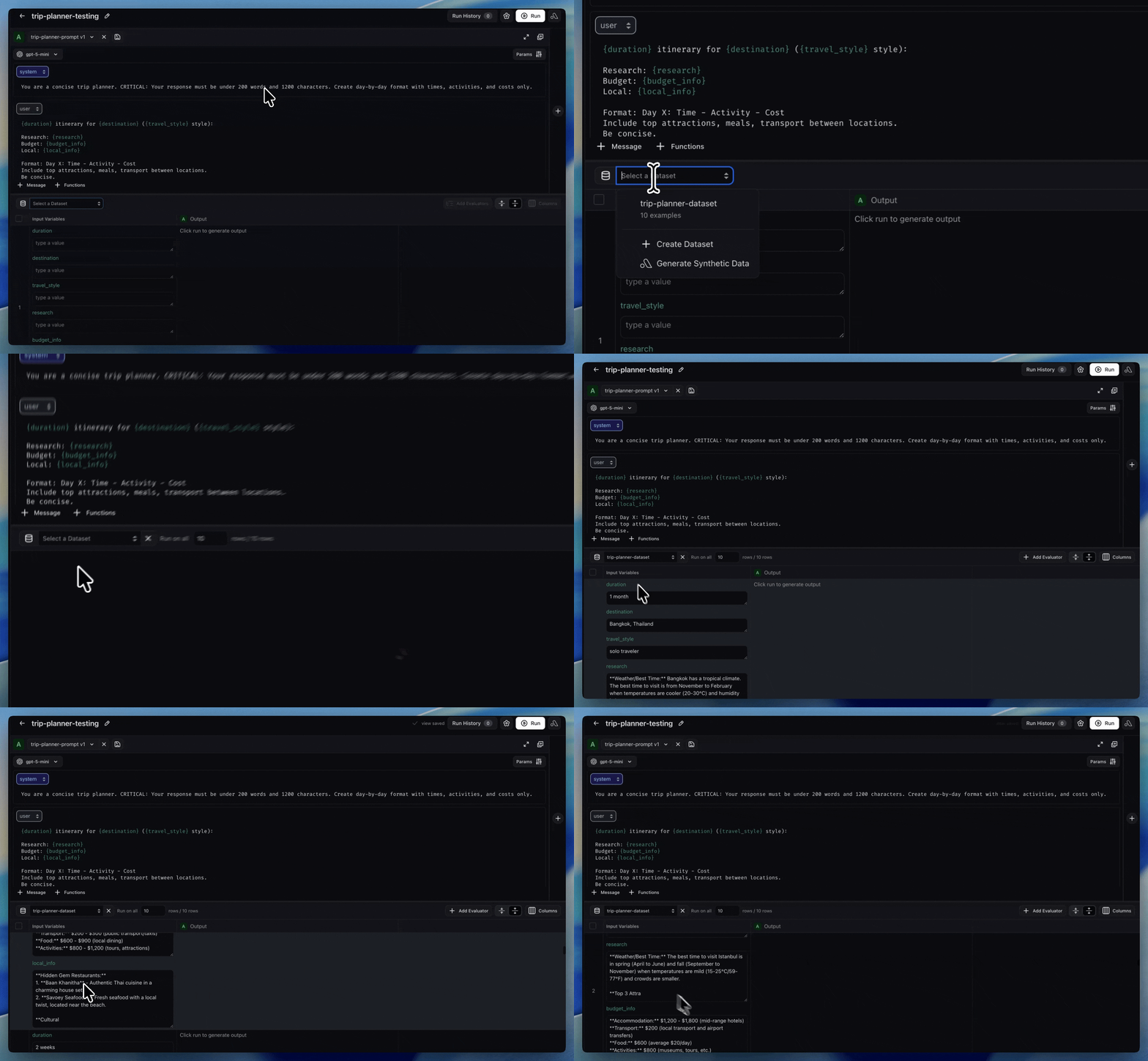
Select a dataset in Prompt Playground to map rows to prompt variables
2. Add an LLM-as-a-judge from the Evaluator Hub
Create a judge evaluator in the Evaluator Hub and attach it to your experiment. The hub gives you versioning, reuse across projects, and alignment tracking. See LLM as a judge for guidance on writing the prompt template.
Evaluator Hub listing saved LLM judges ready to attach to any experiment

Create an LLM evaluator directly from the experiment page
3. Add a code evaluator (when rules are deterministic)
For objective checks — JSON validity, keyword presence, regex matching — create a code evaluator instead of an LLM judge. Code evals run instantly and have no inference cost.4. Run, view, and compare
Choose the experiments you want to evaluate, click Run, and view the scored results inline. Use Compare experiments to diff outputs and eval scores across prompt or model versions side by side.
Run evaluators on selected experiments from the Run on Experiment modal

Compare eval scores across experiment versions in the Compare Experiments table
When to drop down to code
Use the SDK directly when the platform cannot express your workflow:- Multi-step agent tasks — loops with tool use, branching logic, or state that must be driven from your code.
- Tightly coupled deterministic logic — checks that depend on internal Python types or business logic that don’t map cleanly to a code-eval template.
- CI/CD pipelines — when the experiment and score must run inside a Python test runner and gate a deployment. See GitHub Action basics and GitLab CI/CD basics.
Alternative: define evaluators as a class in the SDK
The class-based API is an alternative for the cases above, or if you prefer object-oriented patterns over functional ones.Eval class inputs
EvaluationResult outputs
Code evaluator as a class
evaluators when running the experiment:
ax tasks trigger-run rather than calling llm_classify inside an Evaluator subclass.
Multiple evaluators on experiment runs
Pass multiple evaluators in a list. Arize creates an evaluation run for every combination of experiment run and evaluator.Related
Evaluate experiment
Run evaluators on experiments from the UI overview.
Run experiment
Create datasets and run experiments end to end.
Run offline evals on experiments
Full guide to scoring experiments — UI, Arize Skills, and By Code tabs.
Create evaluators
Build LLM-as-a-judge and code evaluators in the Evaluator Hub.
Prompt Playground
Run prompts over datasets and save outputs as experiments.
Compare experiments
Diff outputs and eval scores across prompt or model versions.