Documentation Index
Fetch the complete documentation index at: https://arize-ax.mintlify.dev/docs/llms.txt
Use this file to discover all available pages before exploring further.
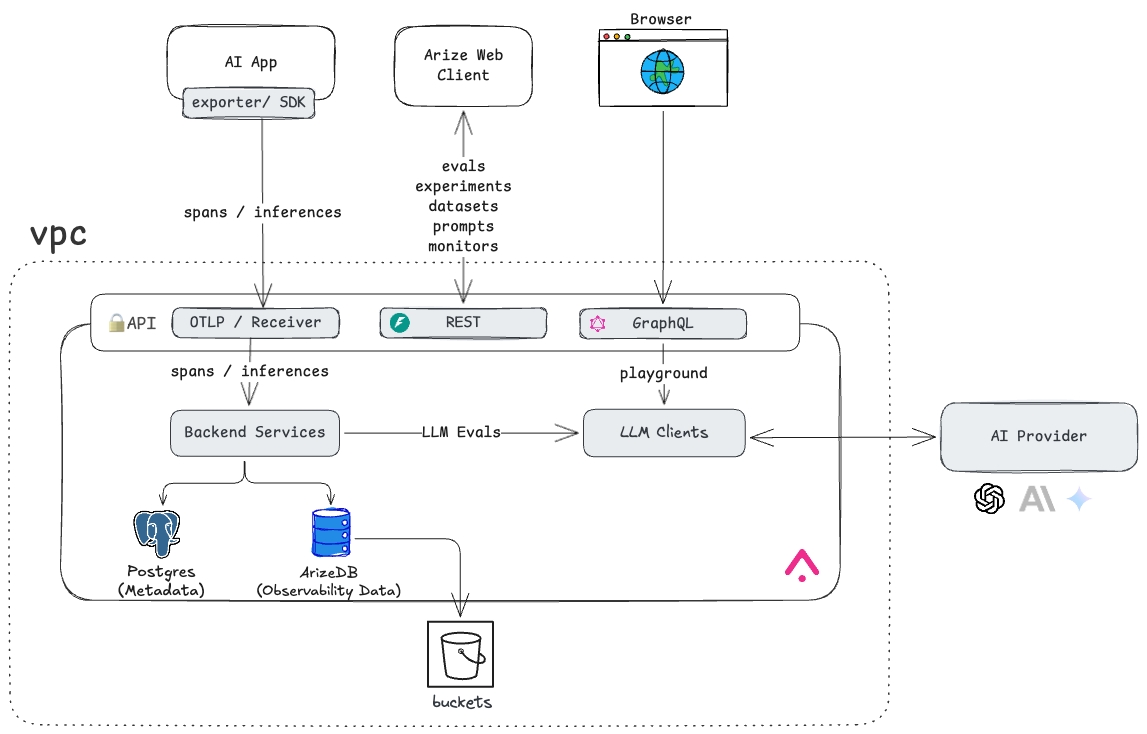 The core components of Arize AX are organized into the following categories:
- Front End & APIs — The Arize AX Web Client serves as the main interface for users, offering UI access, user management, dashboards, and all workflows critical to ML and LLM observability. It is backed by a suite of LLM and ML analytics services exposed through REST and GraphQL interfaces.
- Backend Services — Arize AX supports flexible ingestion methods, accepting data in various formats (e.g., files, tables, OTEL traces) through both push and pull mechanisms, allowing seamless integration with diverse data pipelines and external clients.
- Database — At the heart of Arize AX is ArizeDB, an advanced OLAP database specifically optimized for ML and LLM workloads. Arize AX also utilizes a local or cloud-hosted PostgreSQL database for operational and metadata storage.
- Storage — All observability and operational data is durably persisted to cloud storage to ensure high availability and resilience.
Cloud Options
Arize AX seamlessly integrates with virtually any Kubernetes environment, whether in public or private clouds. It offers out-of-the-box support for popular cloud storage solutions, including AWS S3, GCP GCS, and Azure Blob. For private cloud deployments without access to traditional cloud storage providers, Arize AX supports MinIO, Ceph and other S3 compatible solutions. Additionally, it is fully compatible with advanced networking solutions such as Istio and Cilium.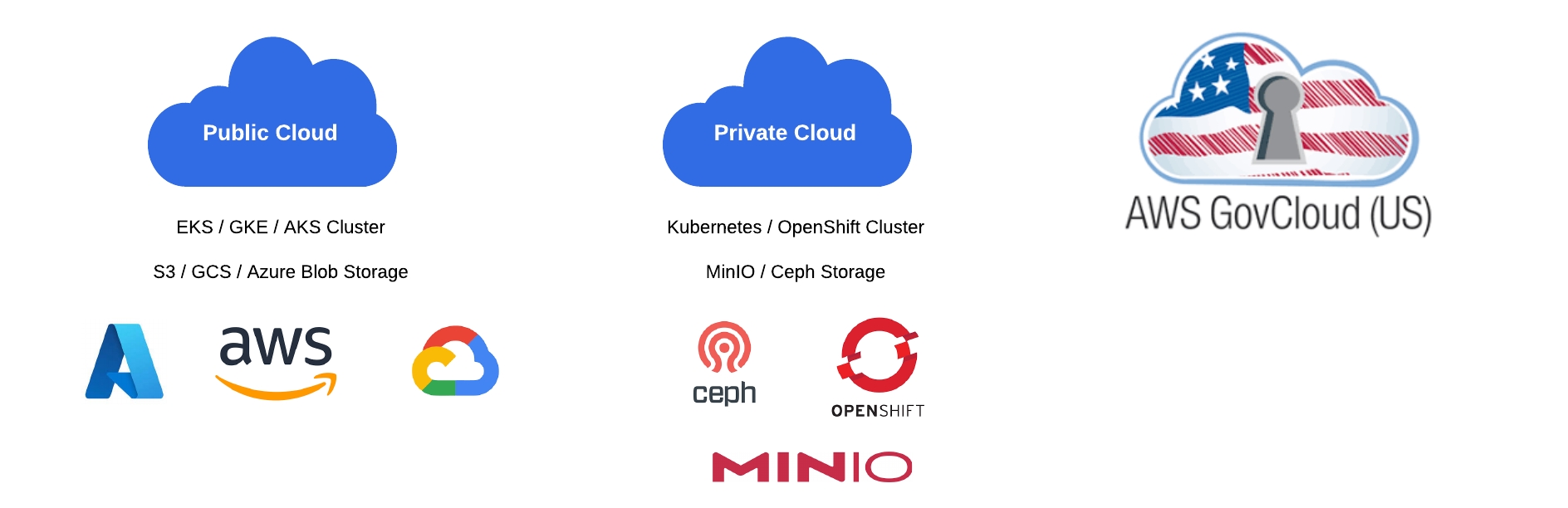
Operations, hub access, and image sources
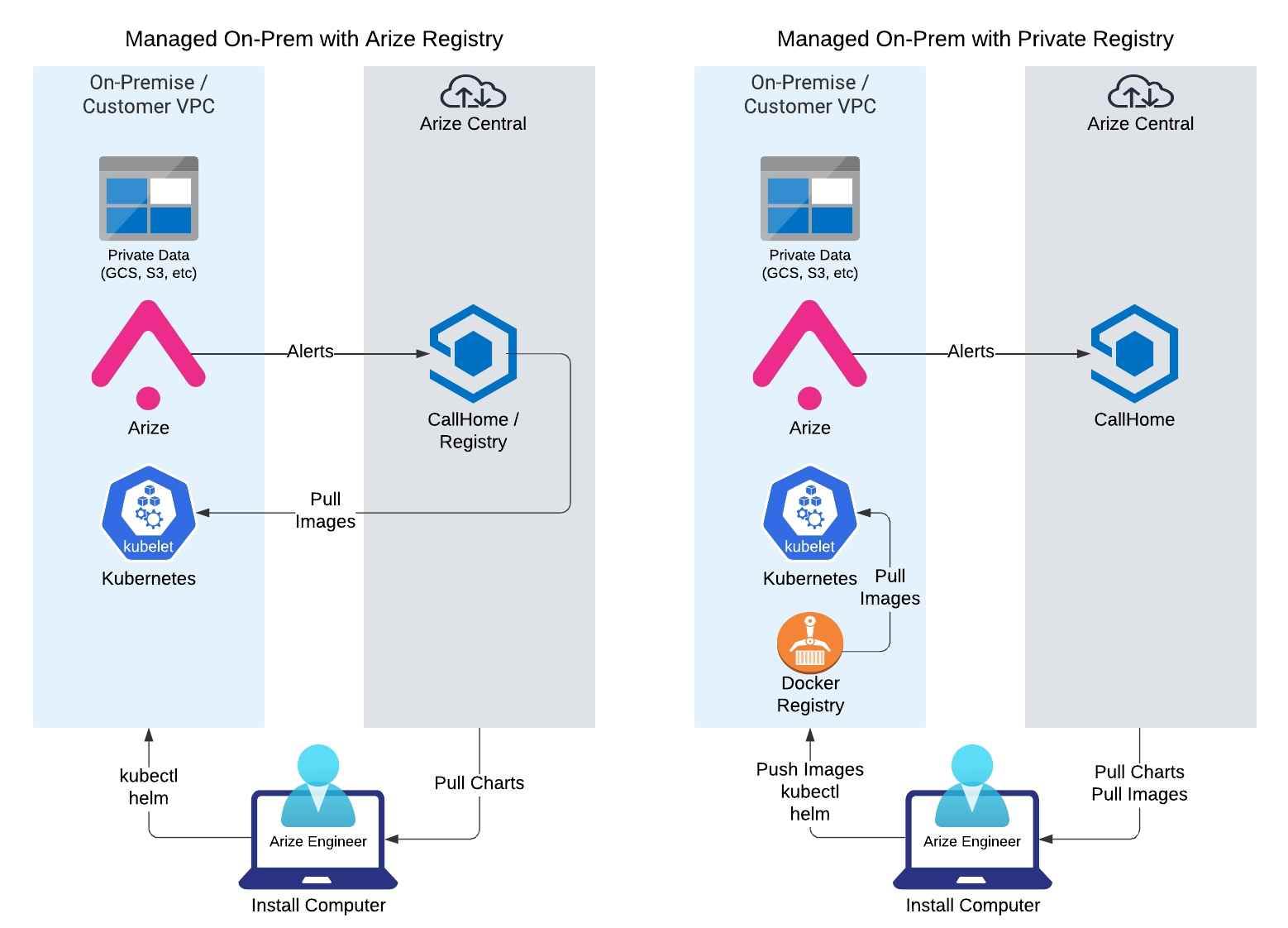
Arize AX self hosted ensures that all sensitive data remains secure within the customer’s Virtual Private Cloud (VPC), with strict controls to prevent any confidential information from leaving the security perimeter. In a typical managed engagement, Arize AI engineers assist with installation, maintenance, and support. That model usually involves three operational touchpoints (not the same thing as network deployment type):- Application monitoring via Arize AX Call Home (optional hub connectivity for alerts and metrics—see GCP deployment types for connected, semi-restricted, and air-gapped paths).
-
Image source — pull from Arize AI’s hub at
ch.hub.arize.com/us-central1-docker.pkg.dev, or from your private registry (Artifactory, JFrog, ECR, GCR, and so on). -
kubectlaccess for managing the cluster during install and upgrades.