> ## Documentation Index
> Fetch the complete documentation index at: https://arize-ax.mintlify.site/docs/llms.txt
> Use this file to discover all available pages before exploring further.
# Signal
> Enable Signal on a tracing project to surface ranked issues from production traces with investigation detail and trace links.
Signal is available on all Arize AX plans. Free includes **10** issues per month; Pro includes **25**. Enterprise includes unlimited issues, plus repo-backed fix PRs and custom agent integrations. Through **September 15, 2026**, Signal and managed agents are included at no additional charge for Enterprise. See [Pricing and usage](/docs/ax/security-and-settings/pricing-and-usage).
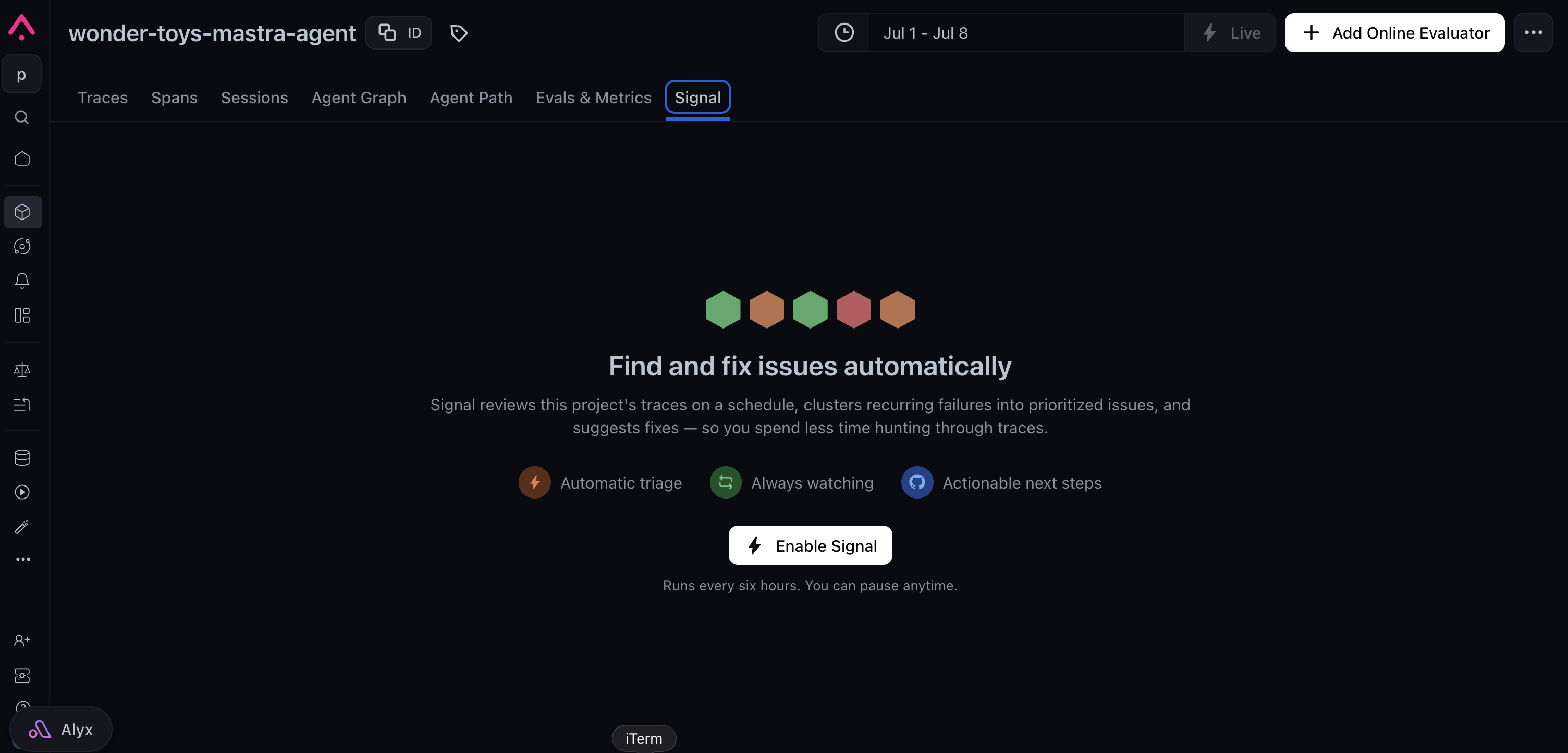
**Signal** is a built-in worker that scans a tracing project's traces on a schedule, groups recurring failure patterns into **issues**, and writes an investigation for each one (overview, trace evidence, suggested fix).
 Requires a tracing project with traces in Arize. See [Set up tracing](/docs/ax/instrument/set-up-tracing) if needed.
No repo or extra skills are required to detect issues. Free and Pro get Signal issue detection only—they cannot attach a repo, open fix PRs, or choose a custom agent integration.
## Availability
| | AX Free | AX Pro | AX Enterprise |
| -------------------------------- | ------- | ------ | ------------- |
| **Signal issues / month** | 10 | 25 | Unlimited |
| **Attach a repo / open fix PRs** | — | — | ✓ |
| **Custom agent integration** | — | — | ✓ |
Limits are account-wide and reset each calendar month (UTC). When Free or Pro reach the monthly cap, Signal pauses new runs until the next month or until you upgrade. The ability to purchase additional Free or Pro issues is coming soon.
## Enable Signal
Signal only reads traces from the selected project.
Select **Signal** in the project navigation.
Arize creates a default automation using the Signal preset (for example, every 10 minutes). On Enterprise, you can choose which [agent integration](/docs/ax/agents/connect-your-harness#the-harness) runs Signal instead of the Arize-managed default. The tab stays linked to this automation until you disable Signal or delete it.
## Read issues
The **Signal** tab shows issue volume over time, a breakdown by entity when tagged, and a ranked issue list. Select an issue to read its investigation:
* **Overview**: summary of the failure pattern
* **Evidence**: trace IDs and filters
* **Proposed fix**: suggested prompt, code, config, or eval change
Click the **example traces** to open evidence in [Explore your traces](/docs/ax/observe/tracing/view-and-manage-traces).
## Configure Signal
Use **Configure Signal** to change how often Signal runs and add extra context for the agent. On Enterprise, you can also attach a GitHub repo so Signal can open pull requests for proposed fixes.
On the **Signal** tab, open the **⋯** menu in the tab header and choose **Configure Signal**.
Choose how often Signal reviews recent traces, and optionally add additional context for the agent.
Enable **Attach Repo**, choose an existing **GitHub skill** or create one (name + personal access token), and enter the repository as `owner/repo`. See [Skills and permissions](/docs/ax/agents/connect-your-harness) for token scopes.
Click **Save**. When you attach a repo, Arize creates or updates the Signal agent preset for this project automatically—you do not need to visit [Agent Presets](/docs/ax/agents/build-your-own-agent) first. To return to trace-only mode, clear the repo or reset the Signal agent config in the same dialog.
## Related docs
* [Pricing and usage](/docs/ax/security-and-settings/pricing-and-usage) — Plan limits for Signal and managed agents
* [Agent Presets](/docs/ax/agents/build-your-own-agent) — Reusable harness, sandbox, skills, and agent integrations
* [Skills and permissions](/docs/ax/agents/connect-your-harness) — GitHub and other skills used for repo-backed fixes
Requires a tracing project with traces in Arize. See [Set up tracing](/docs/ax/instrument/set-up-tracing) if needed.
No repo or extra skills are required to detect issues. Free and Pro get Signal issue detection only—they cannot attach a repo, open fix PRs, or choose a custom agent integration.
## Availability
| | AX Free | AX Pro | AX Enterprise |
| -------------------------------- | ------- | ------ | ------------- |
| **Signal issues / month** | 10 | 25 | Unlimited |
| **Attach a repo / open fix PRs** | — | — | ✓ |
| **Custom agent integration** | — | — | ✓ |
Limits are account-wide and reset each calendar month (UTC). When Free or Pro reach the monthly cap, Signal pauses new runs until the next month or until you upgrade. The ability to purchase additional Free or Pro issues is coming soon.
## Enable Signal
Signal only reads traces from the selected project.
Select **Signal** in the project navigation.
Arize creates a default automation using the Signal preset (for example, every 10 minutes). On Enterprise, you can choose which [agent integration](/docs/ax/agents/connect-your-harness#the-harness) runs Signal instead of the Arize-managed default. The tab stays linked to this automation until you disable Signal or delete it.
## Read issues
The **Signal** tab shows issue volume over time, a breakdown by entity when tagged, and a ranked issue list. Select an issue to read its investigation:
* **Overview**: summary of the failure pattern
* **Evidence**: trace IDs and filters
* **Proposed fix**: suggested prompt, code, config, or eval change
Click the **example traces** to open evidence in [Explore your traces](/docs/ax/observe/tracing/view-and-manage-traces).
## Configure Signal
Use **Configure Signal** to change how often Signal runs and add extra context for the agent. On Enterprise, you can also attach a GitHub repo so Signal can open pull requests for proposed fixes.
On the **Signal** tab, open the **⋯** menu in the tab header and choose **Configure Signal**.
Choose how often Signal reviews recent traces, and optionally add additional context for the agent.
Enable **Attach Repo**, choose an existing **GitHub skill** or create one (name + personal access token), and enter the repository as `owner/repo`. See [Skills and permissions](/docs/ax/agents/connect-your-harness) for token scopes.
Click **Save**. When you attach a repo, Arize creates or updates the Signal agent preset for this project automatically—you do not need to visit [Agent Presets](/docs/ax/agents/build-your-own-agent) first. To return to trace-only mode, clear the repo or reset the Signal agent config in the same dialog.
## Related docs
* [Pricing and usage](/docs/ax/security-and-settings/pricing-and-usage) — Plan limits for Signal and managed agents
* [Agent Presets](/docs/ax/agents/build-your-own-agent) — Reusable harness, sandbox, skills, and agent integrations
* [Skills and permissions](/docs/ax/agents/connect-your-harness) — GitHub and other skills used for repo-backed fixes