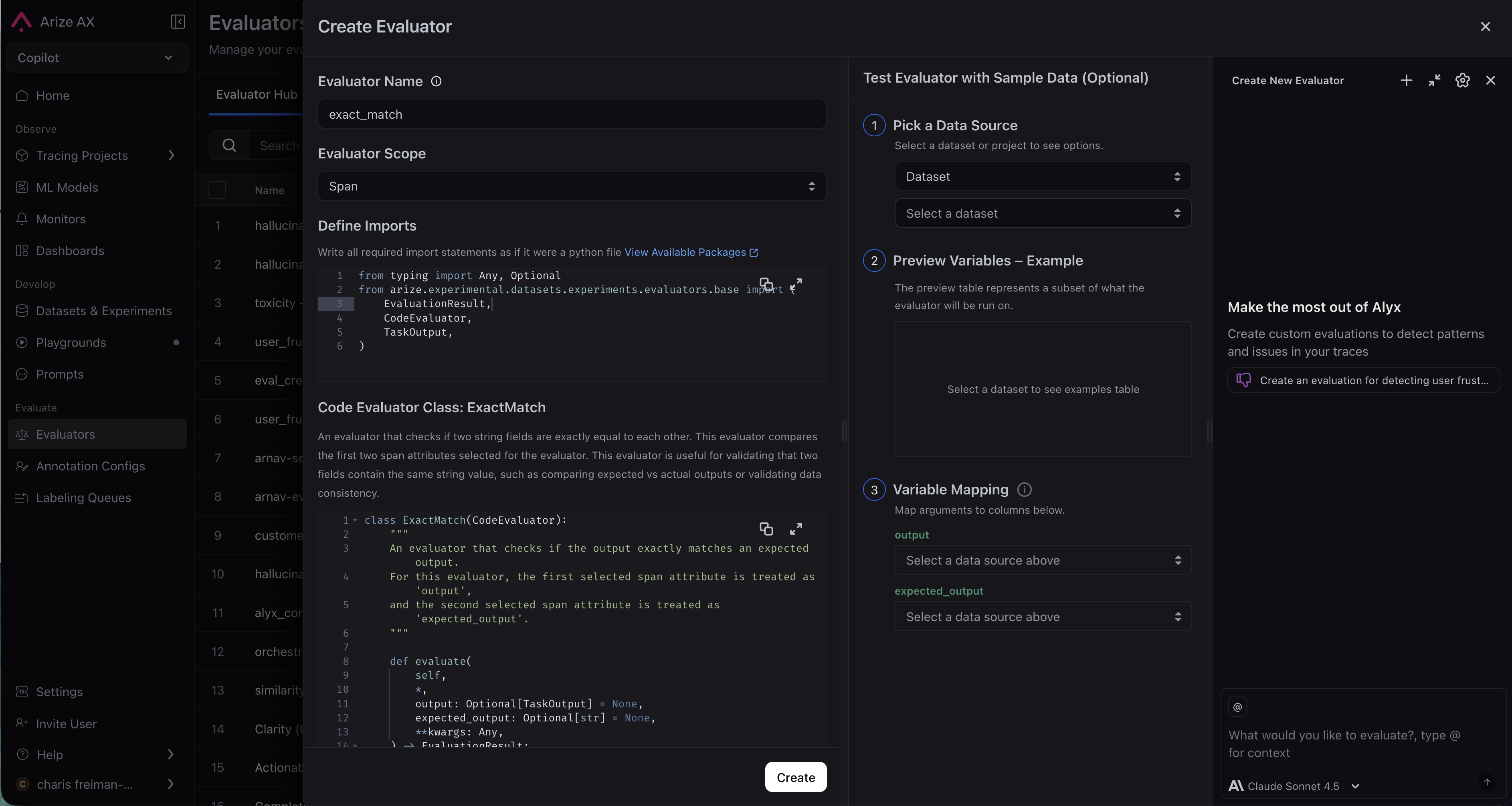
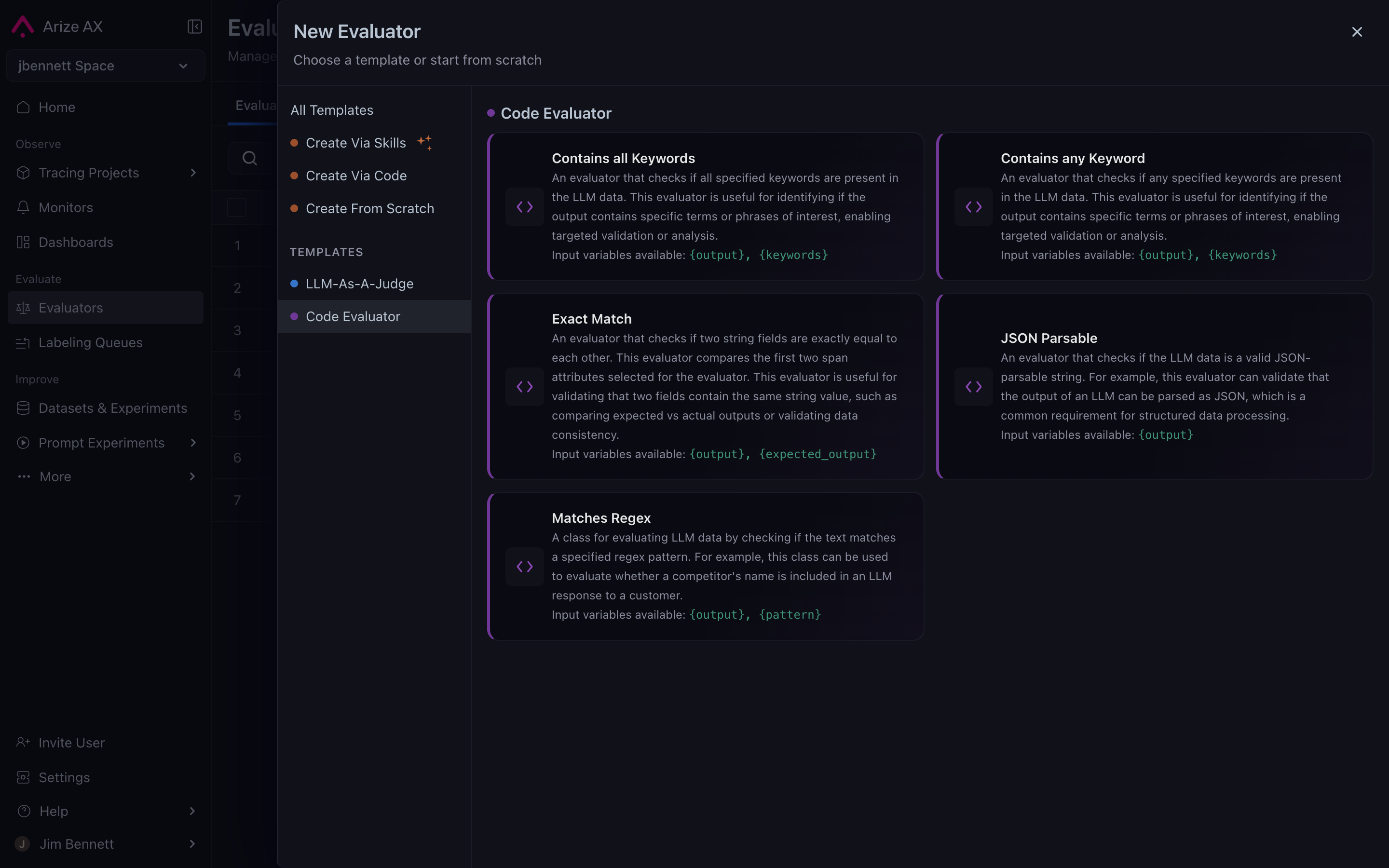
 Examples of the pre-built code evals Arize offers:
| Eval | Description | Parameters |
|---|---|---|
| Matches Regex | Checks whether the text matches a specified regex pattern |
|
| JSON Parseable | Checks whether the LLM data is a valid JSON-parsable string |
|
| Contains any Keyword | Checks whether any specified keywords are present in the LLM data |
|
| Contains all Keywords | Checks that all specified keywords are present in the LLM data |
|
| Exact Match | Checks whether the output exactly matches the expected output |
|
 ```python theme={"theme":{"light":"github-light-default","dark":"github-dark-default"}}
from typing import Any, Optional
from arize.experimental.datasets.experiments.evaluators.base import (
EvaluationResult,
CodeEvaluator,
)
class MyEvaluator(CodeEvaluator):
"""Custom evaluator -- edit this class to define your evaluation logic."""
def evaluate(
self,
*,
input1: Optional[str] = None,
input2: Optional[str] = None,
**kwargs: Any,
) -> EvaluationResult:
is_valid = input1 is not None and input1.strip() != ""
return EvaluationResult(
label="valid" if is_valid else "invalid",
score=float(is_valid),
explanation=(
"input1 is non-empty."
if is_valid
else "input1 is empty or missing."
),
)
```
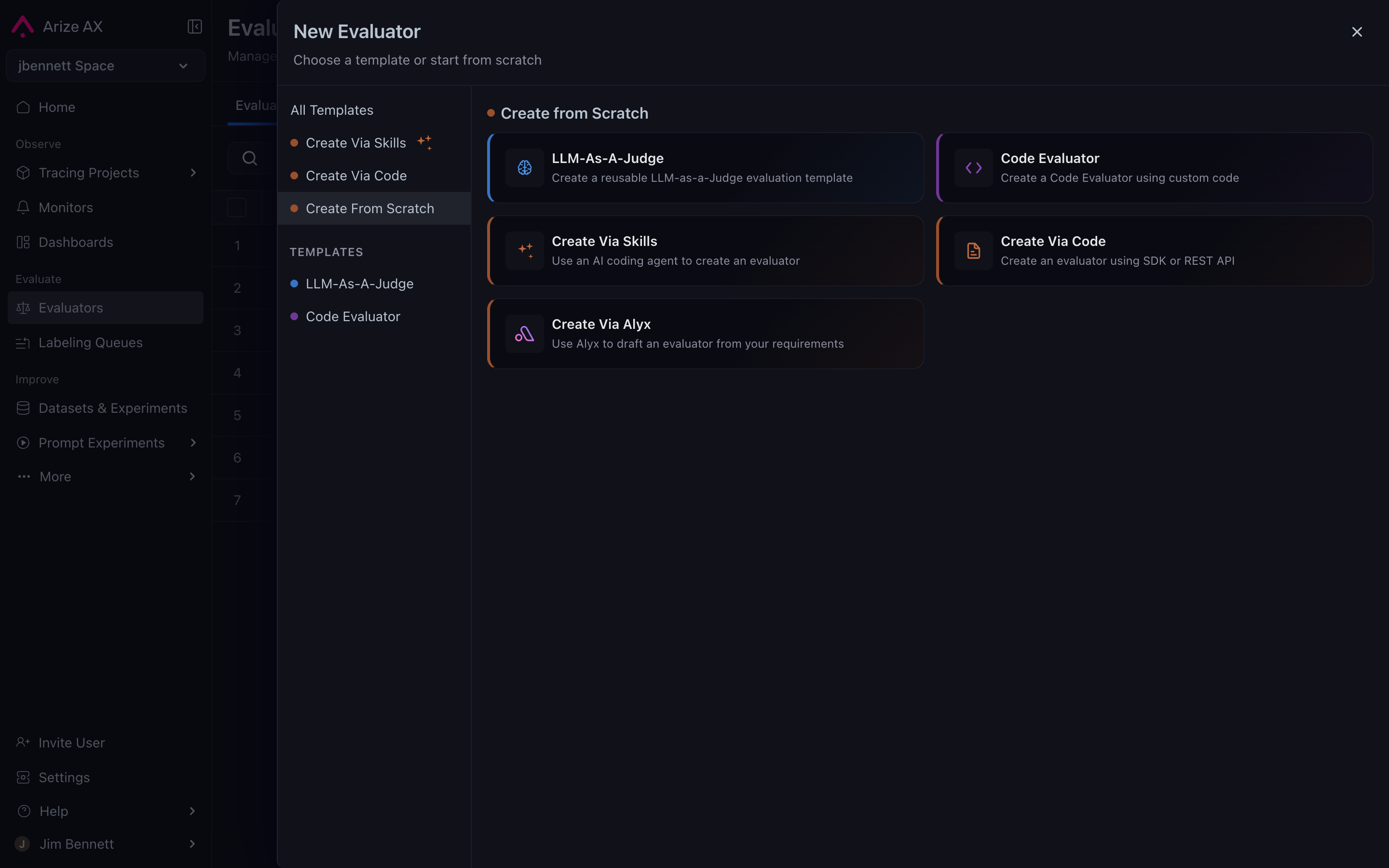
Replace `input1` and `input2` with named arguments that describe the data your evaluator needs. Each named keyword argument in the `evaluate()` method signature becomes a **variable** - when you [use the evaluator in a task](/docs/ax/evaluate/run-evals#column-mapping), you'll map each variable to a span attribute or dataset column. You can name variables anything you want (e.g., `user_query`, `assistant_response`, `ground_truth`). `self`, `dataset_row`, and `**kwargs` are excluded from mapping.
The `evaluate()` method must return an `EvaluationResult` with:
* **`label`** - A categorical string (e.g., `"pass"`, `"fail"`)
* **`score`** - A numeric value quantifying the result
* **`explanation`** - A brief rationale for the result
### Static input parameters
In addition to variables (which change per row), you can define **static input parameters** - configuration values set once that stay the same for every row. This makes evaluators reusable without editing code. For example, a regex evaluator can be reused for different patterns just by changing its `pattern` parameter.
Static parameters are accessed via `self.param_name` and can be typed as `String`, `StringArray` (comma-separated list), or `Regex`.
```python theme={"theme":{"light":"github-light-default","dark":"github-dark-default"}}
class MyEvaluator(CodeEvaluator):
def evaluate(self, *, output=None, **kwargs) -> EvaluationResult:
score = len(output) / 100 if output else 0
return EvaluationResult(
label="pass" if score >= self.threshold else "fail",
score=score,
explanation=f"Score {score} vs threshold {self.threshold}",
)
```
In this example, `threshold` is a static parameter configured in the UI when creating or editing the evaluator.
### Accessing data via `dataset_row`
For evaluators that need access to more data than the named variables provide, include a `dataset_row` parameter:
```python theme={"theme":{"light":"github-light-default","dark":"github-dark-default"}}
def evaluate(self, *, output=None, dataset_row=None, **kwargs) -> EvaluationResult:
# `output` is a normal variable (mapped via column mapping)
# `dataset_row` is a dict containing ALL mapped span attributes
user_id = dataset_row.get("attributes.metadata.user_id") if dataset_row else None
```
The `dataset_row` dictionary contains span attributes. Common keys include `attributes.output.value`, `attributes.input.value`, and `attributes.llm.token_count.total`. Access values using `.get()` to handle missing keys gracefully.
When the system detects `dataset_row` in your method signature, the UI displays an **Additional Span Attributes** section where you can add extra attributes to include in the dict.
```python theme={"theme":{"light":"github-light-default","dark":"github-dark-default"}}
from typing import Any, Optional
from arize.experimental.datasets.experiments.evaluators.base import (
EvaluationResult,
CodeEvaluator,
)
class MyEvaluator(CodeEvaluator):
"""Custom evaluator -- edit this class to define your evaluation logic."""
def evaluate(
self,
*,
input1: Optional[str] = None,
input2: Optional[str] = None,
**kwargs: Any,
) -> EvaluationResult:
is_valid = input1 is not None and input1.strip() != ""
return EvaluationResult(
label="valid" if is_valid else "invalid",
score=float(is_valid),
explanation=(
"input1 is non-empty."
if is_valid
else "input1 is empty or missing."
),
)
```
Replace `input1` and `input2` with named arguments that describe the data your evaluator needs. Each named keyword argument in the `evaluate()` method signature becomes a **variable** - when you [use the evaluator in a task](/docs/ax/evaluate/run-evals#column-mapping), you'll map each variable to a span attribute or dataset column. You can name variables anything you want (e.g., `user_query`, `assistant_response`, `ground_truth`). `self`, `dataset_row`, and `**kwargs` are excluded from mapping.
The `evaluate()` method must return an `EvaluationResult` with:
* **`label`** - A categorical string (e.g., `"pass"`, `"fail"`)
* **`score`** - A numeric value quantifying the result
* **`explanation`** - A brief rationale for the result
### Static input parameters
In addition to variables (which change per row), you can define **static input parameters** - configuration values set once that stay the same for every row. This makes evaluators reusable without editing code. For example, a regex evaluator can be reused for different patterns just by changing its `pattern` parameter.
Static parameters are accessed via `self.param_name` and can be typed as `String`, `StringArray` (comma-separated list), or `Regex`.
```python theme={"theme":{"light":"github-light-default","dark":"github-dark-default"}}
class MyEvaluator(CodeEvaluator):
def evaluate(self, *, output=None, **kwargs) -> EvaluationResult:
score = len(output) / 100 if output else 0
return EvaluationResult(
label="pass" if score >= self.threshold else "fail",
score=score,
explanation=f"Score {score} vs threshold {self.threshold}",
)
```
In this example, `threshold` is a static parameter configured in the UI when creating or editing the evaluator.
### Accessing data via `dataset_row`
For evaluators that need access to more data than the named variables provide, include a `dataset_row` parameter:
```python theme={"theme":{"light":"github-light-default","dark":"github-dark-default"}}
def evaluate(self, *, output=None, dataset_row=None, **kwargs) -> EvaluationResult:
# `output` is a normal variable (mapped via column mapping)
# `dataset_row` is a dict containing ALL mapped span attributes
user_id = dataset_row.get("attributes.metadata.user_id") if dataset_row else None
```
The `dataset_row` dictionary contains span attributes. Common keys include `attributes.output.value`, `attributes.input.value`, and `attributes.llm.token_count.total`. Access values using `.get()` to handle missing keys gracefully.
When the system detects `dataset_row` in your method signature, the UI displays an **Additional Span Attributes** section where you can add extra attributes to include in the dict.